
Blog

  • 7 Apps Every Traveling Professional Needs to Find Coworking Spaces Worldwide

    7 Apps Every Traveling Professional Needs to Find Coworking Spaces Worldwide

    Working from a different city every month sounds exciting until you land in a new place and realize you have no idea where to work. Coffee shops get noisy. Hotel rooms feel isolating. You need a proper workspace, and you need it fast.

    That’s where specialized apps come in. Instead of googling frantically or wandering around unfamiliar neighborhoods, you can pull up your phone and find verified coworking spaces in minutes. These platforms show you photos, amenities, pricing, and real reviews from other traveling professionals.

    Key Takeaway

    Apps to find coworking spaces help traveling professionals locate, compare, and book workspaces worldwide. The best platforms offer verified listings, flexible booking options, community features, and integrated payment systems. Popular choices include Coworker, Deskpass, Nexudus, and specialized regional platforms that cater to specific markets. Understanding each app’s strengths helps you choose the right tool for your travel style and budget.

    Why Generic Search Engines Fall Short for Workspace Discovery

    Typing “coworking space near me” into a search engine gives you random results. You’ll see outdated listings, closed locations, and spaces that don’t accept day passes. The photos might be five years old. Pricing information is often missing or inaccurate.

    Dedicated apps solve these problems by maintaining current databases of verified spaces. They include booking functionality, real-time availability, and standardized information formats that make comparison simple.

    Most importantly, these platforms understand what traveling professionals actually need. They filter by amenities like meeting rooms, printing facilities, and 24/7 access. They show you which spaces welcome short-term visitors versus requiring monthly commitments.

    The Core Features That Matter Most

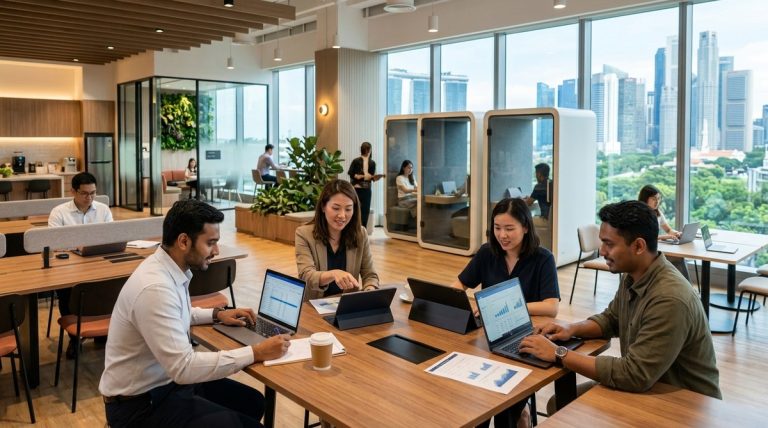
    7 Apps Every Traveling Professional Needs to Find Coworking Spaces Worldwide - Illustration 1

    Before we look at specific apps, let’s establish what makes a coworking discovery platform genuinely useful for travelers:

    • Real-time availability and instant booking confirmation
    • Accurate pricing with no hidden fees
    • High-quality photos from multiple angles
    • Verified reviews from actual users
    • Detailed amenity lists including internet speed
    • Geographic search with neighborhood filters
    • Mobile-friendly interface for on-the-go booking
    • Flexible cancellation policies

    The best apps excel in most or all of these areas. Lesser platforms might have listings but lack the depth of information you need to make confident decisions.

    Coworker: The Comprehensive Global Directory

    Coworker operates as the largest global directory of coworking spaces with over 15,000 locations listed across more than 170 countries. The platform focuses on detailed information rather than direct booking.

    When you search a city on Coworker, you get comprehensive profiles for each space. These include multiple photos, full amenity lists, pricing ranges, and user reviews. The platform doesn’t charge spaces to be listed, which means you’ll find both major chains and small independent locations.

    The review system is particularly valuable. Users rate spaces on specific criteria like wifi quality, noise levels, and community atmosphere. This granular feedback helps you understand what to expect before you arrive.

    Coworker also maintains a blog with city guides written by remote workers who’ve actually spent time in those locations. These guides complement the listings by providing neighborhood context and local working tips.

    Deskpass: Flexible Access Across Multiple Spaces

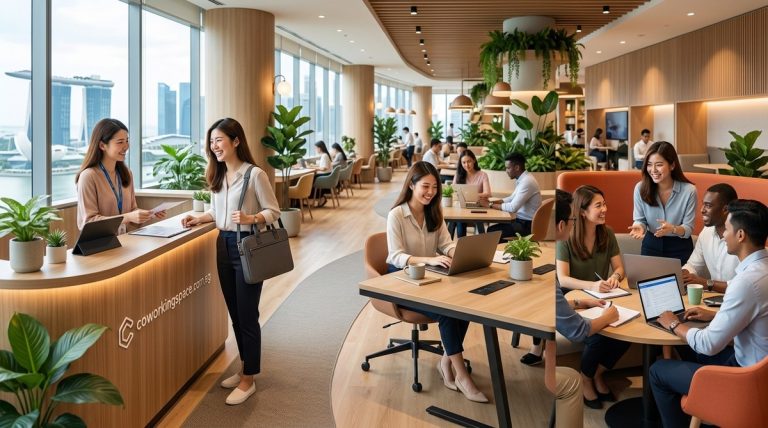
    7 Apps Every Traveling Professional Needs to Find Coworking Spaces Worldwide - Illustration 2

    Deskpass works differently than a simple directory. It’s a membership platform that gives you access to networks of coworking spaces in specific cities. You pay a monthly fee and can use any participating location.

    This model works well if you’re staying in one city for a few weeks but want flexibility to try different neighborhoods. Instead of committing to a single space, you can work from different locations throughout the month.

    The app shows you which spaces are in your network, their current availability, and how to check in. Some cities have dozens of participating locations, while others have fewer options. Check coverage before subscribing.

    Deskpass pricing varies by city. Major markets like New York or San Francisco cost more than smaller cities. The platform offers both local and national plans depending on your travel patterns.

    Nexudus: The Professional Booking Platform

    Nexudus powers the booking systems for hundreds of coworking spaces worldwide. While it’s primarily a management tool for space operators, many locations offer direct booking through their Nexudus-powered websites or apps.

    When a space uses Nexudus, you get a standardized booking experience. The interface is consistent across different locations, making it easy to reserve desks or meeting rooms once you understand the system.

    The platform handles payments securely and sends automated confirmations. You can manage all your bookings in one place, which is helpful when you’re juggling reservations across multiple cities.

    Some spaces using Nexudus also participate in the Nexudus Passport program, which functions similarly to Deskpass by offering multi-space access through a single membership.

    Regional Specialists That Outperform Global Platforms

    While global apps offer broad coverage, regional specialists often provide better information for specific markets. These platforms understand local preferences, pricing norms, and cultural expectations.

    In Southeast Asia, platforms like KoHub and Coworking Asia maintain curated listings with detailed information about visa-friendly spaces and digital nomad communities. They include practical details like proximity to accommodation areas and local SIM card availability.

    European platforms such as Copass focus on the specific needs of EU-based remote workers, including information about tax implications and cross-border membership options.

    For Singapore specifically, understanding different membership types helps you choose the right booking option when using any platform.

    How to Evaluate a Space in 15 Minutes Using App Information

    1. Check the photos section and look for recent uploads showing actual workspace areas, not just common areas or empty rooms.
    2. Read the three most recent negative reviews to understand current problems.
    3. Verify the internet speed is listed and meets your needs (minimum 50 Mbps download for video calls).
    4. Confirm the space accepts day passes or short-term bookings if you’re not committing long-term.
    5. Look for mentions of noise levels in reviews if you need concentration.
    6. Check operating hours match your working schedule, especially if you work across time zones.
    7. Verify the cancellation policy before booking.

    This systematic approach prevents disappointment when you arrive at a space that looked perfect in photos but doesn’t match your working style.

    When you’re new to a city and need to evaluate options, having reliable app information makes the process much faster.

    Comparison Table: Key Platform Features

    Platform Global Coverage Direct Booking Membership Model Best For
    Coworker 170+ countries No (directory only) Free to browse Research and comparison
    Deskpass 50+ cities Yes Monthly subscription Multi-space flexibility
    Nexudus Varies by space Yes Pay-per-use or membership Professional booking experience
    Regional specialists Limited geography Usually yes Varies Local expertise and context

    Mobile App Features That Save Time While Traveling

    The best mobile apps include location-based search that shows nearby spaces as you move around a city. This feature is invaluable when your plans change and you need to find workspace immediately.

    Push notifications alert you to booking confirmations, check-in reminders, and last-minute availability at spaces you’ve favorited. These timely updates help you stay organized across multiple cities.

    Offline access to your booking details ensures you can find addresses and check-in instructions even when you’re between wifi connections. Download confirmation emails and save them to your device before leaving your accommodation.

    Integration with calendar apps helps you block out workspace reservations alongside client meetings and other commitments. This prevents double-booking and helps you plan your day efficiently.

    Common Mistakes When Using Coworking Apps

    Many travelers book spaces based solely on price without checking location carefully. A cheap desk is no bargain if it requires an hour-long commute from your accommodation.

    Another frequent error is ignoring the amenity details. Not all coworking spaces offer printing, private phone booths, or meeting room access. If you need these features, confirm availability before booking.

    Some users don’t read cancellation policies and lose money when plans change. Flexible cancellation usually costs slightly more but provides valuable insurance for uncertain travel schedules.

    Failing to verify operating hours causes problems when you arrive at a closed space. Some locations have limited weekend hours or close early on certain days. Double-check the schedule, especially around local holidays.

    The biggest mistake I see traveling professionals make is treating all coworking spaces as interchangeable. Each location has its own culture, rules, and community expectations. Spending five minutes reading recent reviews prevents most disappointments.

    Booking Strategies for Different Travel Patterns

    If you’re staying in a city for just a few days, day passes make the most sense. Book these directly through apps rather than showing up and hoping for availability. Popular spaces fill up during business hours.

    For week-long stays, some spaces offer discounted weekly packages that cost less than buying individual day passes. Look for these deals in the pricing section of app listings.

    Monthly visitors should consider whether coworking day passes or monthly memberships offer better value based on how many days you’ll actually use the space.

    Digital nomads moving between cities benefit from platforms with multi-location access. These memberships eliminate the need to research and book new spaces in every destination.

    Payment Methods and Currency Considerations

    Most coworking apps accept international credit cards, but some regional platforms prefer local payment methods. Check payment options before booking to avoid surprises at checkout.

    Currency conversion fees can add up if you’re booking spaces in multiple countries. Some credit cards offer better exchange rates than others. Consider using a travel-focused card that minimizes these costs.

    A few platforms allow you to load credits or prepay for multiple bookings, which can lock in favorable exchange rates if you’re planning ahead.

    Always save your payment confirmations and receipts. Many traveling professionals need these for expense reports or tax documentation.

    Building Your Workspace Discovery Toolkit

    No single app covers every situation perfectly. Most experienced traveling professionals use a combination of tools:

    Start with Coworker for initial research when planning trips to new cities. The comprehensive listings and reviews help you understand the coworking landscape.

    Add a membership platform like Deskpass if you’re spending extended time in cities with good coverage. The flexibility to try different spaces without individual bookings simplifies your routine.

    Keep regional specialists bookmarked for markets where they operate. Their local knowledge often reveals options that global platforms miss.

    Download the specific apps for spaces you’ll visit frequently. Many coworking chains have their own booking apps with member perks and streamlined check-in processes.

    Understanding what amenities modern coworking spaces should offer helps you filter options more effectively when searching through any platform.

    What to Do When Apps Show Limited Options

    Some cities have few coworking spaces listed on major platforms, especially in developing markets or smaller towns. When this happens, expand your search to include terms like “shared office,” “business center,” or “serviced office.”

    Local Facebook groups for digital nomads or expats often share workspace recommendations that aren’t listed on commercial platforms. Join these groups before arriving in a new city.

    Hotel business centers sometimes offer day rates to non-guests. While not technically coworking spaces, they can provide professional environments in a pinch.

    Libraries, university campuses, and innovation hubs occasionally welcome visitors for day use. These options rarely appear in coworking apps but can serve as backup workspace.

    Privacy and Security Considerations

    When using coworking apps, you’re sharing personal information and payment details. Choose platforms with secure payment processing and clear privacy policies.

    Be cautious about apps that request excessive permissions on your phone. Location access makes sense for finding nearby spaces, but there’s no reason a coworking app needs access to your contacts or photos.

    Read reviews mentioning security concerns at specific spaces. Some locations have issues with theft or lack proper access controls. These problems usually show up in user feedback.

    Use unique passwords for each platform and enable two-factor authentication when available. Your coworking app accounts are connected to payment methods and need proper protection.

    Integration with Your Broader Travel Setup

    Apps to find coworking spaces work best when they’re part of an integrated system for managing your location-independent work life. Connect your workspace bookings with your travel calendar, accommodation reservations, and client meeting schedules.

    Many traveling professionals use project management tools that sync across devices. Add your coworking reservations to these systems so you always know where you’re working each day.

    Creating a productive mobile office setup complements your coworking strategy by giving you backup workspace options when you need them.

    Consider how your workspace choices affect your overall travel budget. Sometimes paying more for a well-located coworking space saves money on transportation and time.

    Making the Most of Community Features

    Several coworking apps include community features that connect you with other members. These can be valuable for networking, finding local recommendations, or simply having someone to grab lunch with in a new city.

    Look for platforms that show upcoming events at spaces you’re considering. Networking events, workshops, and social gatherings add value beyond just desk access.

    Some apps allow you to message space managers directly with questions before booking. Use this feature to clarify details about amenities, parking, or any special requirements you have.

    Member directories help you identify other professionals in your industry. This can lead to collaborations, referrals, or just interesting conversations during coffee breaks.

    For digital nomads, building professional networks while traveling becomes easier when you use apps that emphasize community connections.

    Future Developments in Coworking Discovery Technology

    Apps to find coworking spaces continue evolving with new features that make travel work easier. Artificial intelligence is starting to power personalized recommendations based on your previous bookings and stated preferences.

    Virtual tours using 360-degree photos or video help you explore spaces remotely before committing to a booking. This technology reduces the uncertainty of booking in unfamiliar cities.

    Integration with travel booking platforms means you might soon be able to reserve accommodation and workspace in a single transaction. This streamlines planning for location-independent professionals.

    Blockchain-based membership systems could enable seamless access across different coworking networks without separate subscriptions. Early implementations of this technology are already being tested in some markets.

    Finding Workspace Solutions That Match Your Travel Style

    The right apps to find coworking spaces depend on how you travel and work. Frequent movers need different tools than professionals who spend months in each location. City hoppers prioritize different features than those who establish temporary bases.

    Experiment with multiple platforms before settling on your preferred toolkit. Most offer free browsing or trial periods that let you test functionality without commitment.

    Pay attention to which apps other professionals in your network use. Their recommendations carry more weight than marketing materials because they’re based on real experience.

    Remember that technology is just a tool. The best workspace for you might be one you discover through conversation with a local rather than through an algorithm. Use apps as your starting point, not your only resource.

    Whether you’re choosing your first coworking space or you’re a veteran of dozens of locations, having reliable tools for workspace discovery makes traveling while working significantly less stressful. Start building your app toolkit today, and your future self will thank you when you land in a new city and need to get straight to work.

  • How to Apply for Singapore’s EntrePass Visa as a Startup Founder

    How to Apply for Singapore’s EntrePass Visa as a Startup Founder

    Moving your startup to Singapore sounds exciting until you hit the visa paperwork. The EntrePass exists specifically for entrepreneurs like you, but the application process can feel like navigating a maze blindfolded.

    This guide walks you through every step of the Singapore EntrePass application, from checking if you qualify to collecting your approved pass. No confusing jargon. Just practical instructions that help you submit a strong application the first time.

    Key Takeaway

    The Singapore EntrePass application requires proof of funding, a viable business plan, and meeting specific criteria based on your startup’s stage. The process takes 8 weeks on average. You’ll need S$50,000 in paid-up capital, innovation credentials, or backing from recognized investors. Most applications succeed when founders demonstrate clear business viability and proper documentation from day one.

    Understanding the EntrePass and Who Qualifies

    The EntrePass is Singapore’s work visa designed for foreign entrepreneurs who want to start and operate a business here. Unlike employment passes that tie you to a specific company, this visa lets you run your own venture.

    You need to meet at least one of three main criteria. First option: secure funding from a government-recognized venture capital firm or business angel. Second: develop a proprietary product or technology with intellectual property protection. Third: establish significant partnerships with government-backed incubators or accelerators.

    Your business must be registered as a private limited company in Singapore. Sole proprietorships and partnerships don’t qualify. The company needs to be less than six months old at the time of application, though exceptions exist for certain government-supported ventures.

    Your startup should focus on innovation and growth potential. Singapore prioritizes technology, research, and scalable business models. Traditional service businesses like food and beverage, retail shops, or consulting firms typically face rejection unless they demonstrate exceptional innovation.

    Preparing Your Business Before You Apply

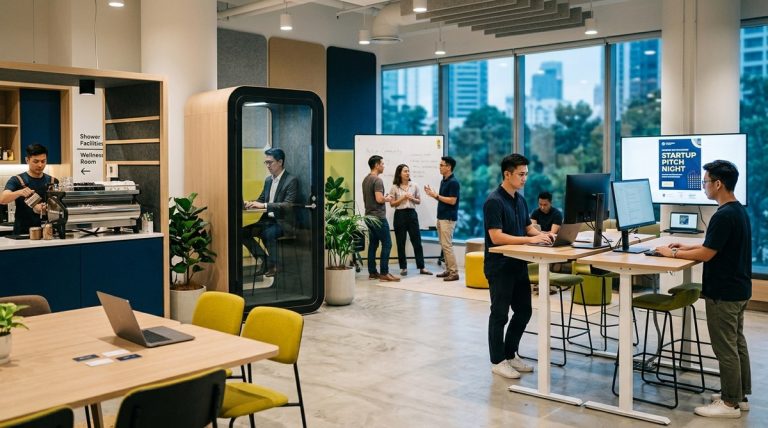
    How to Apply for Singapore's EntrePass Visa as a Startup Founder - Illustration 1

    Register your company through the Accounting and Corporate Regulatory Authority (ACRA) before starting your EntrePass application. You cannot apply without a valid Unique Entity Number (UEN).

    Set up a local business bank account and deposit your initial capital. The minimum paid-up capital requirement is S$50,000. This money must be in the company’s account, not your personal funds. Bank statements proving this capital will be required during application.

    Draft a comprehensive business plan that covers your first three years. Include market analysis, revenue projections, hiring plans, and competitive advantages. Immigration officers assess whether your business can contribute to Singapore’s economy, so demonstrate clear growth potential and job creation plans.

    Gather evidence of your entrepreneurial track record. Past successful ventures, industry awards, patents, or media coverage strengthen your application significantly. If you lack extensive experience, strong funding or partnerships can compensate.

    Many founders setting up operations benefit from understanding coworking membership types as they establish their Singapore presence without committing to long-term office leases.

    Required Documents for Your EntrePass Application

    The document checklist is extensive. Missing even one item can delay your application by weeks.

    Start with your passport. It must be valid for at least six months beyond your intended entry date. Include biographical pages and any pages with previous Singapore visas or immigration stamps.

    Your company documents include the ACRA business profile, certificate of incorporation, memorandum and articles of association, and shareholder register. All must be current and show you hold at least 30% equity in the company.

    Financial documents prove your business viability. Submit bank statements showing paid-up capital, proof of funding from investors, and financial projections for three years. If you have existing revenue, include audited accounts or management reports.

    Educational certificates and professional qualifications demonstrate your capability. Degree certificates, diplomas, and professional certifications all help. Get them officially translated to English if they’re in other languages.

    Your business plan should be 15 to 20 pages. Cover your value proposition, target market, competitive analysis, marketing strategy, operational plan, and financial forecasts. Be specific about how you’ll create jobs for Singaporeans.

    “The strongest EntrePass applications show clear evidence of innovation and a credible path to profitability. Generic business plans that could apply to any market rarely succeed. Specificity about the Singapore market matters enormously.” – Immigration consultant with 12 years of experience processing EntrePass applications

    Step-by-Step Application Process

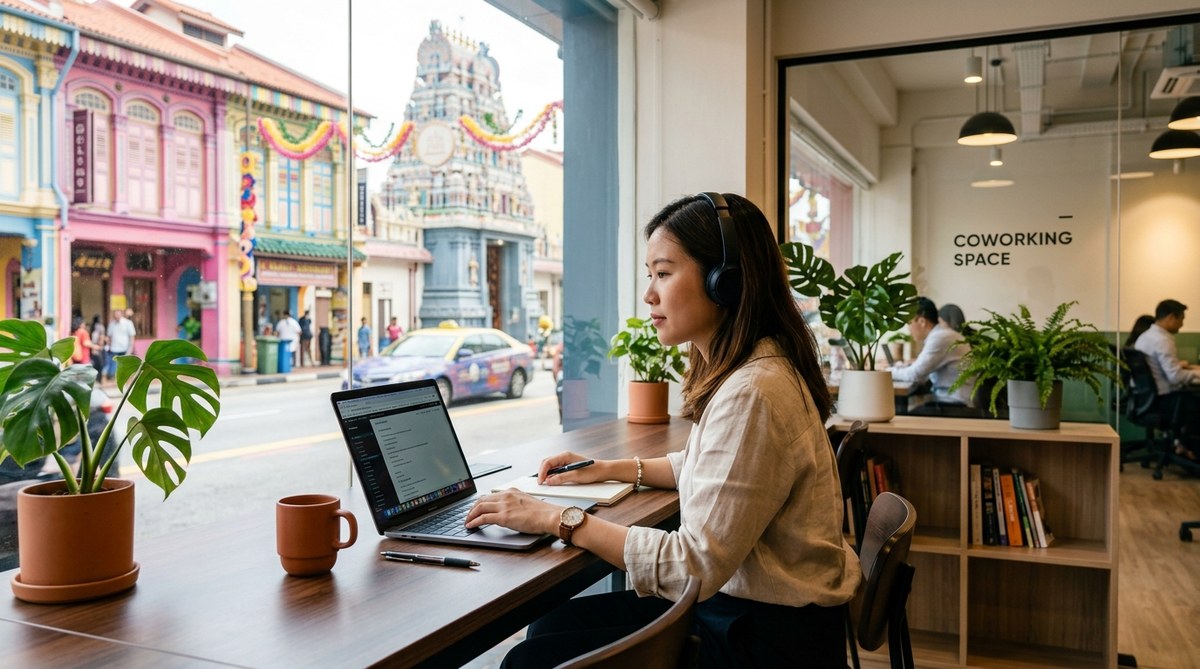
    How to Apply for Singapore's EntrePass Visa as a Startup Founder - Illustration 2

    1. Create Your MyICA Account

    Visit the Ministry of Manpower’s website and set up an account. You’ll need a valid email address and mobile number for verification. This portal handles your entire application.

    2. Complete the Online Form

    The EP Online system guides you through each section. Fill in personal details, company information, business activities, and shareholding structure. Save your progress regularly because sessions time out after 20 minutes of inactivity.

    3. Upload Supporting Documents

    Scan all documents in PDF format. Keep file sizes under 2MB each. Name files clearly so immigration officers can identify them easily. The system accepts up to 20 document uploads per application.

    4. Pay the Application Fee

    The non-refundable fee is S$105. Payment options include credit cards and direct bank transfers. Keep your payment receipt because you’ll need the transaction reference number.

    5. Submit and Track Your Application

    After submission, you receive an acknowledgment email with your application reference number. Check your application status through the MyICA portal. Response times vary, but most applications receive an outcome within 8 weeks.

    6. Respond to Additional Requests

    Immigration officers often request clarifications or additional documents. Respond within the deadline stated in their email, typically 7 days. Late responses can result in automatic rejection.

    7. Collect Your EntrePass

    Approved applicants receive an In-Principle Approval (IPA) letter. Print this letter and bring it when you enter Singapore. You have six months from the IPA date to complete your entry and collect your physical pass from the Ministry of Manpower.

    Common Approval Criteria and What Officers Look For

    Immigration officers evaluate three main factors: your business viability, your personal credentials, and your potential economic contribution to Singapore.

    Business viability assessment includes market demand, competitive advantages, scalability, and financial sustainability. Officers want to see that your business solves a real problem and has customers willing to pay.

    Your credentials matter significantly. Relevant industry experience, educational background, entrepreneurial track record, and technical expertise all count. First-time founders with limited experience face higher scrutiny.

    Economic contribution focuses on job creation, innovation, and knowledge transfer. Applications that commit to hiring Singaporeans within 12 months score better. Plans to collaborate with local universities or research institutions also help.

    Approval Factor What Strengthens Your Case What Weakens Your Case
    Funding VC backing, angel investment, government grants Self-funded with minimal capital
    Innovation Patents, proprietary technology, R&D focus Generic business model, local competition
    Experience Previous successful exits, industry awards First venture, unrelated background
    Market Clear target customers, validated demand Vague market definition, no research
    Jobs Committed hiring plan, training programs No employment plans, solo operation

    Handling Rejection and Reapplication

    Rejection happens to about 30% of first-time applicants. Common reasons include insufficient funding, weak business plans, lack of innovation, or unclear market positioning.

    If rejected, the rejection letter explains the reasons. Read it carefully. Address every point raised before reapplying.

    Wait at least six months before submitting a new application. Use this time to strengthen your weak areas. Secure additional funding, refine your business model, or gain relevant experience.

    Consider alternative visa routes while improving your EntrePass application. The Employment Pass requirements might suit your situation if you can work for your own company in a different capacity initially.

    Some founders successfully pivot their business focus to align better with Singapore’s strategic industries. Technology, biomedical sciences, clean energy, and fintech receive more favorable consideration than traditional service businesses.

    EntrePass Conditions and Renewal Requirements

    Your first EntrePass is valid for one year. After that, you can renew for two years, then three years if you meet performance benchmarks.

    You must actively operate your business in Singapore. Immigration conducts random audits checking your company’s operations, office location, and business activities. Running your business remotely from another country violates your pass conditions.

    Your company must maintain minimum paid-up capital of S$50,000 throughout your pass validity. Reducing this amount can trigger pass cancellation.

    Employment requirements kick in at renewal. For your first renewal, you should have hired at least one local employee. By your second renewal, aim for three to five local staff depending on your business size.

    Business performance matters at renewal. Show revenue growth, customer acquisition, and operational milestones. Startups that remain at idea stage without tangible progress face renewal rejection.

    You can bring dependents once your pass is approved. Your spouse and children under 21 qualify for Dependant’s Passes. Parents may qualify for Long-Term Visit Passes under certain conditions.

    Setting Up Your Operations After Approval

    Once approved, you have six months to relocate to Singapore and activate your pass. Book your travel and plan your entry carefully.

    Register for mandatory Central Provident Fund (CPF) contributions for any local employees you hire. Set up your payroll system to handle these deductions correctly.

    Many new founders initially work from coworking spaces in Singapore rather than committing to traditional office leases. This approach reduces overhead while you establish your business.

    Open a corporate bank account if you haven’t already. Bring your EntrePass, company documents, and business plan. Most banks require an in-person meeting with account managers for new corporate accounts.

    Register for Goods and Services Tax (GST) if your annual revenue exceeds S$1 million. Engage an accounting firm familiar with startup compliance to avoid penalties.

    Consider your long-term immigration pathway. The EntrePass can lead to permanent residency after several years of successful business operations. Maintain good compliance records and demonstrate consistent business growth.

    Budget Considerations Beyond the Visa Fee

    The S$105 application fee is just the beginning. Factor in substantial additional costs when planning your move.

    Company incorporation costs range from S$300 to S$1,000 depending on whether you use a corporate secretary service. You’re legally required to have a local company secretary, which costs S$500 to S$1,500 annually.

    Your minimum paid-up capital of S$50,000 must remain in your business account. This ties up significant funds that you cannot use for personal expenses.

    Professional services add up. Many founders spend S$2,000 to S$5,000 on immigration consultants to improve application success rates. Legal fees for contract reviews and compliance advice cost another S$3,000 to S$10,000 annually.

    Office space varies widely. Traditional offices in prime locations cost S$5 to S$15 per square foot monthly. Budget-friendly coworking spaces offer more flexibility for early-stage startups.

    Living expenses in Singapore are high. Budget S$3,000 to S$5,000 monthly for housing, food, and transportation as a single founder. Families need S$6,000 to S$10,000 monthly depending on housing choices and school fees.

    Tips for Strengthening Your Application

    Start building your case months before applying. Document everything that demonstrates business viability and your entrepreneurial capability.

    Secure letters of intent from potential customers. Even non-binding agreements show market validation. Three to five strong letters significantly strengthen your application.

    Join recognized accelerator programs. Acceptance into government-backed programs like SPRING Singapore or SGInnovate provides strong endorsement of your business potential.

    Build an advisory board with credible Singapore-based professionals. Their involvement signals local market understanding and access to networks.

    Prepare for the possibility of an interview. Some applications trigger requests for in-person meetings with immigration officers. Practice explaining your business clearly and confidently.

    Time your application strategically. Avoid peak periods like December and January when processing times extend due to holiday backlogs and year-end application rushes.

    Consider engaging a professional coworking space with meeting rooms as your registered office address. This provides a legitimate business address without the cost of a traditional lease.

    Alternative Pathways If EntrePass Isn’t Right

    The EntrePass suits innovative, scalable startups. If your business doesn’t fit this profile, consider other options.

    The Employment Pass works if you can structure yourself as an employee of your Singapore company. You need a qualifying salary of at least S$5,000 monthly and meet educational requirements.

    The Personalised Employment Pass offers more flexibility for high-earning professionals. You need a fixed monthly salary of at least S$18,000 or last drawn salary of S$12,000 monthly.

    The Tech.Pass targets established tech professionals and entrepreneurs with significant track records. Requirements include a minimum salary of S$20,000 monthly or substantial funding raised.

    Some founders initially enter on other passes while building their business case for an EntrePass. Working for a Singapore company while developing your startup on the side can provide the local experience and network that strengthens a future application.

    Making Your Move to Singapore Work

    The Singapore EntrePass application demands thorough preparation and genuine business substance. Immigration officers have seen thousands of applications and quickly identify weak proposals.

    Your success depends on demonstrating clear innovation, viable business fundamentals, and commitment to contributing to Singapore’s economy. Generic business plans and vague market strategies rarely succeed.

    Start preparing at least three months before you want to submit. Gather documents, refine your business plan, and secure funding or partnerships that meet the criteria. The investment in proper preparation pays off with higher approval rates and smoother processing.

    Singapore offers tremendous opportunities for entrepreneurs who bring real innovation and growth potential. The EntrePass provides a pathway to build your business in one of Asia’s most dynamic markets. Take the application seriously, address every requirement thoroughly, and you’ll significantly improve your chances of approval.

  • 7 Money-Saving Tips for Freelancers Using Coworking Spaces in Singapore

    7 Money-Saving Tips for Freelancers Using Coworking Spaces in Singapore

    Finding affordable workspace in Singapore feels like hunting for a unicorn. Rent prices make you wince, coffee shop WiFi drops mid-call, and your home office is actually your kitchen table. You need a professional space that doesn’t drain your freelance income before you’ve even invoiced your first client.

    Key Takeaway

    Singapore offers coworking spaces starting from $150 per month for hot desks in outer neighborhoods like Geylang and Kallang. Freelancers save money by choosing flexible day passes instead of monthly commitments, timing memberships during promotional periods, and selecting spaces with included amenities rather than paying for extras. Understanding membership structures and avoiding peak-hour pricing can cut workspace costs by 40% annually.

    Understanding the real cost structure of Singapore coworking spaces

    Most freelancers look at the monthly membership fee and think that’s the whole story. It’s not.

    The advertised rate rarely includes everything you need. Printing costs extra at most spaces. Meeting room bookings add up fast. Some locations charge for lockers, mail handling, and even guest passes.

    A $200 monthly membership can balloon to $350 once you factor in the extras. That’s why understanding coworking membership types matters before you sign anything.

    Here’s what actually affects your monthly spend:

    • Base membership fee
    • Printing and scanning charges
    • Meeting room hourly rates
    • Locker rental fees
    • Mail handling services
    • Guest pass costs
    • Deposit requirements

    The cheapest option isn’t always the one with the lowest advertised price. You need to calculate your actual usage pattern.

    Where to find the most affordable coworking spaces by neighborhood

    7 Money-Saving Tips for Freelancers Using Coworking Spaces in Singapore - Illustration 1

    Location drives pricing more than any other factor in Singapore.

    Raffles Place and Orchard Road command premium rates because of their addresses. You’re paying for prestige and convenience, not necessarily better facilities.

    But move to Geylang, Kallang, or Paya Lebar, and the same desk setup costs 30-50% less. The MRT still gets you downtown in 15 minutes.

    Neighborhood Average Hot Desk Price Monthly Savings vs CBD
    Raffles Place $450-600 Baseline
    Orchard Road $400-550 10%
    Tiong Bahru $300-400 35%
    Paya Lebar $250-350 45%
    Geylang/Kallang $150-250 60%

    The budget-friendly coworking spaces in Geylang and Kallang offer identical amenities to their CBD counterparts. You get high-speed internet, air conditioning, and coffee. The only difference is the postcode.

    Freelancers working with international clients don’t need a prestigious business address. Your clients see your portfolio, not your office location.

    Hot desk versus dedicated desk pricing strategies

    Hot desking saves money if you use it strategically.

    A hot desk membership costs $150-300 monthly at budget locations. You show up, grab any available desk, and work. No assigned space, no personal storage, but significant savings.

    Dedicated desks run $350-500 monthly. You get the same spot every day, a locker, and the ability to leave items overnight.

    Here’s the calculation that matters: if you work from the coworking space fewer than 15 days per month, hot desking wins financially. More than 20 days? A dedicated desk makes sense.

    The comparison between hot desking and dedicated desks breaks down when each option saves you money based on your work patterns.

    Many freelancers make the mistake of committing to full-time memberships when their actual usage doesn’t justify it. Track your workspace needs for one month before signing a contract.

    Day pass strategies that cut monthly costs

    7 Money-Saving Tips for Freelancers Using Coworking Spaces in Singapore - Illustration 2

    Day passes seem expensive at $25-40 per visit. But for freelancers who work from home most days, they’re cheaper than monthly memberships.

    Do the math: if you need a professional workspace 8 days per month, that’s $200-320 using day passes. A monthly membership at the same location costs $300-400, even if you only use it 8 times.

    The strategy works when you:

    1. Buy day passes in bulk packs for 20-30% discounts
    2. Use them only for client meetings and focused work days
    3. Work from home or cafes on routine task days
    4. Choose spaces with generous day pass hours (12+ hours)

    Some spaces offer 10-pass packages at $200-250. That’s $20-25 per visit, matching the monthly membership cost per actual use day.

    Comparing day passes versus monthly memberships shows exactly when each option makes financial sense for your work schedule.

    Hidden amenities that actually save you money

    Free coffee sounds trivial until you calculate the savings.

    A freelancer buying two coffees daily at $5 each spends $200 monthly. Coworking spaces with unlimited coffee, tea, and filtered water eliminate that expense entirely.

    Look for spaces that include:

    • Unlimited printing (up to reasonable limits)
    • Free meeting room hours (2-5 hours monthly)
    • Complimentary lockers
    • Mail handling at no extra charge
    • Guest passes for client meetings
    • After-hours access

    A space charging $250 monthly with all amenities included beats a $200 space that nickel-and-dimes you for everything. Calculate your actual usage of each service.

    The must-have amenities in modern coworking spaces helps you identify which features genuinely save money versus marketing fluff.

    Promotional periods and negotiation tactics

    Coworking spaces run promotions constantly. You just need to know when to look.

    January and July see the most aggressive discounts. Spaces want to fill capacity after holiday slowdowns and mid-year lulls. Expect 20-40% off first-month rates, waived deposits, or free meeting room credits.

    Here’s what works when negotiating:

    1. Ask about their current promotions before they mention them
    2. Request a trial day or week before committing
    3. Mention competitor pricing in nearby neighborhoods
    4. Negotiate for 3-month commitments instead of 12-month contracts
    5. Request added value (extra meeting room hours) instead of price cuts
    6. Ask about referral discounts if you know current members

    Most spaces have flexibility in their pricing. The listed rates aren’t carved in stone. Community managers have authority to adjust terms for serious prospects.

    “We reduced our coworking costs by 35% simply by asking about unadvertised promotions and being willing to commit to three months upfront. The space was happy to have guaranteed occupancy, and we got a rate that actually fit our budget.” – Sarah Chen, Freelance Designer

    Flexible membership structures for irregular schedules

    Not every freelancer works Monday to Friday, 9 to 5.

    Some spaces offer part-time memberships at 50-60% of full-time rates. You get access 2-3 days per week, chosen in advance each month. Perfect for freelancers with client site visits or variable schedules.

    Evening-only memberships exist at select locations. Access after 6 PM costs $100-150 monthly. Ideal for freelancers with day jobs transitioning to full-time independence.

    Weekend packages run $80-120 monthly for Saturday and Sunday access. Freelancers juggling multiple projects use weekends for focused work without weekday distractions.

    The hybrid workspace membership approach explains how to mix home working, coworking, and client sites to minimize costs while maintaining productivity.

    Community perks that reduce business expenses

    Coworking communities offer unexpected cost savings beyond the workspace itself.

    Members share resources. Need a photographer for your website? Someone in the space probably does it. Require accounting advice? There’s likely a freelance accountant two desks over.

    These informal exchanges save money:

    • Skill swaps instead of paid services
    • Bulk purchasing discounts on supplies
    • Shared software licenses
    • Group rates on business insurance
    • Collaborative project opportunities
    • Referral networks that bring new clients

    The networking benefits for freelancers translate directly to reduced operating costs and increased revenue opportunities.

    Some spaces organize group buying for business essentials. Ten freelancers splitting a premium software subscription costs 90% less than individual licenses.

    Trial periods before committing to contracts

    Never sign a coworking contract without testing the space first.

    Most locations offer free trial days or discounted week passes. Use this time to evaluate:

    • Internet speed during your actual work hours
    • Noise levels throughout the day
    • Desk availability for hot desk memberships
    • Community atmosphere and networking potential
    • Commute time from your home
    • Nearby food options and their costs

    A space that looks perfect at 10 AM might be chaotic at 2 PM when everyone returns from lunch. Weekend access might be advertised but rarely available due to events.

    The common mistakes new coworking members make includes signing long contracts without adequate testing periods.

    Ask these questions during your trial:

    1. What’s the average occupancy rate?
    2. How often are hot desks fully booked?
    3. What’s the cancellation policy?
    4. Are there quiet zones for calls?
    5. How do meeting room bookings actually work?
    6. What happens if internet goes down?

    Contract flexibility and exit strategies

    Long-term contracts offer better rates but trap you if circumstances change.

    A 12-month contract at $250 monthly beats a month-to-month rate of $350. But if your freelance income drops or a client requires on-site work, you’re stuck paying for unused space.

    Look for contracts with:

    • 30-day notice periods maximum
    • Pause options for 1-2 months
    • Downgrade flexibility (dedicated to hot desk)
    • Transferable memberships
    • Pro-rated refunds for unused time

    Some spaces offer 3-month rolling contracts at only 10-15% above annual rates. The flexibility often justifies the modest premium.

    Understanding whether coworking spaces are worth the cost includes factoring in contract flexibility as part of the value equation.

    Timing your membership for maximum value

    Start dates affect your monthly costs more than you think.

    Beginning mid-month at some spaces means paying the full month’s fee. Others pro-rate based on your start date. A $300 membership starting on the 15th should cost $150, not $300.

    Renewal dates matter too. If your contract renews January 1st, you’re paying peak rates. Negotiate a July renewal instead, when promotional pricing typically runs.

    Seasonal considerations:

    • January: Best promotional rates
    • March-April: Moderate demand, some flexibility
    • June-July: Mid-year promotions common
    • September: Back-to-work rush, limited deals
    • November-December: Holiday slowdown, possible discounts

    The real costs of working from coworking spaces includes timing strategies that reduce annual expenses by hundreds of dollars.

    Calculating your true break-even point

    Most freelancers don’t actually calculate when coworking makes financial sense.

    Add up your current costs:

    • Coffee shop purchases: $200/month
    • Home internet upgrade: $60/month
    • Electricity for AC during work hours: $80/month
    • Professional meeting space rentals: $100/month
    • Mental health cost of isolation: Priceless

    Total: $440 monthly before considering productivity losses and professional image issues.

    A $250 coworking membership that includes all those elements actually saves you $190 monthly while improving your work environment.

    But if you’re disciplined working from home, have good internet, and rarely meet clients in person, coworking might be an unnecessary expense.

    The cost-benefit analysis for Singapore professionals provides frameworks for calculating your specific break-even point.

    Smart strategies for your first coworking space

    Your first coworking space shapes your entire freelance experience.

    Start with a flexible, affordable option rather than committing to premium spaces immediately. You can always upgrade later once you understand your actual needs.

    The beginner’s guide to choosing your first coworking space walks through decision factors beyond just price.

    Begin with these steps:

    1. List your non-negotiable requirements (internet speed, quiet zones, location)
    2. Identify your realistic usage pattern (days per week, hours per day)
    3. Calculate your all-in budget including hidden costs
    4. Visit 3-5 spaces in your price range
    5. Test your top choice for at least one week
    6. Negotiate terms before signing anything

    Remember that the cheapest option that doesn’t meet your needs costs more than a slightly pricier space that actually works for your business.

    Making budget coworking work for your business

    Affordable coworking spaces aren’t second-rate options. They’re strategic choices that keep more money in your business.

    The freelancers who thrive in budget spaces focus on what actually matters: reliable internet, comfortable seating, and a professional environment. Everything else is negotiable.

    Your coworking budget should align with your business stage. New freelancers building their client base benefit more from saving $200 monthly than from a prestigious address. Established freelancers might justify premium locations for client meetings.

    Test different approaches. Use day passes for three months, then try a monthly membership. Mix home working with coworking. Find your optimal balance between cost and productivity.

    The goal isn’t finding the absolute cheapest space. It’s finding the most cost-effective workspace that supports your business growth without unnecessary expenses. Your freelance income stays in your pocket instead of going toward overpriced real estate you don’t actually need.

  • Best Coworking Spaces in Singapore for Digital Nomads on Short-Term Stays

    Best Coworking Spaces in Singapore for Digital Nomads on Short-Term Stays

    Singapore’s coworking scene has become a magnet for remote workers passing through Asia. You land at Changi, clear customs in 15 minutes, and suddenly you need a reliable workspace that doesn’t lock you into a year-long contract. The city’s reputation for fast internet, stable infrastructure, and a thriving startup community makes it an obvious choice for digital nomads planning one to three month stays. But finding the right space means balancing location, cost, flexibility, and the amenities that actually matter when you’re working across time zones.

    Key Takeaway

    Singapore offers digital nomads a range of flexible coworking options, from budget-friendly hot desks at $250 per month to premium spaces with global access networks. Most spaces provide day passes starting at $25, making it easy to test locations before committing. Central districts like Raffles Place and Paya Lebar offer the best connectivity, while neighborhoods like Tiong Bahru provide quieter, community-focused environments. High-speed internet, 24/7 access, and meeting room credits are standard at most established operators.

    Why Singapore works for short-term remote work

    The city-state’s infrastructure removes most friction points that slow down remote workers in other countries. You get fiber internet as standard, not as a luxury upgrade. Power outlets use UK-style plugs, which most travelers already carry adapters for. English is the primary business language, eliminating communication barriers at reception desks and community events.

    Singapore’s geographic position puts you in a timezone that overlaps with both European mornings and US evenings. A 9am call with London happens at 5pm Singapore time. A 6pm check-in with San Francisco clients means starting your day at 7am. This makes the city particularly useful for consultants and agency workers managing international clients.

    The public transport system connects every major coworking district within 30 minutes. You can live in a cheaper neighborhood and commute to a premium workspace without losing hours to traffic. Most MRT stations have multiple coworking options within a five-minute walk.

    Types of flexible memberships that fit nomad schedules

    Best Coworking Spaces in Singapore for Digital Nomads on Short-Term Stays - Illustration 1

    Day passes solve the immediate problem when you first arrive. You pay $25 to $40 for access to a hot desk, wifi, and basic amenities. No commitment, no registration hassles. This works well for your first week while you scout neighborhoods and test different spaces.

    Monthly memberships start around $250 for basic hot desking. You get access during business hours, typically 9am to 6pm on weekdays. Some spaces throw in a few hours of meeting room credits and printing allowances. These plans usually require just one month’s notice to cancel, which aligns perfectly with the typical nomad stay length.

    Part-time packages let you book specific days per week. A three-day-per-week plan might cost $180 per month. This works if you prefer mixing coworking days with cafe work or home office sessions. You maintain access to the community without paying for space you won’t use.

    24/7 access plans cost more but remove scheduling friction. You can work at 2am if that’s when you’re most productive, or when you need to join calls with teams in distant time zones. These memberships typically start at $350 per month and include dedicated desk options.

    “The biggest mistake nomads make is choosing a space based purely on price. A $50 monthly saving disappears fast if you’re losing two hours daily to commute time or fighting unreliable internet during client calls.” — Community manager at a Raffles Place coworking hub

    Location strategy for different work styles

    Central Business District spaces put you close to Singapore’s finance and corporate sectors. Raffles Place, Marina Bay, and Tanjong Pagar offer the most polished environments. You’ll find spaces with reception services, multiple meeting rooms, and members working in consulting, finance, and tech. The trade-off is higher pricing and a more formal atmosphere.

    Best coworking spaces in Raffles Place cater primarily to professionals who need to maintain a corporate image for client meetings.

    Eastern districts like Paya Lebar Quarter have emerged as alternatives to CBD pricing. You get modern facilities at 20-30% lower rates. The area connects well to both the airport and downtown, making it practical for frequent travelers. Why Paya Lebar Quarter is becoming Singapore’s hottest coworking hub explains the rapid development in this neighborhood.

    Creative neighborhoods like Tiong Bahru attract designers, writers, and indie developers. Spaces here emphasize community over corporate polish. You’ll find more casual dress codes, regular social events, and members who actually want to chat during coffee breaks. 7 hidden gem coworking spaces in Tiong Bahru covers options most nomads miss.

    Airport proximity matters if you’re making frequent regional trips. Spaces near Changi let you work a full morning, then catch an afternoon flight to Bangkok or Bali without crossing the entire city. Coworking near Changi Airport lists locations within 15 minutes of the terminals.

    What you actually need in amenities

    Best Coworking Spaces in Singapore for Digital Nomads on Short-Term Stays - Illustration 2

    Internet speed should be your first filter. Anything below 100 Mbps download becomes a problem for video calls or large file transfers. Most established spaces now offer 500 Mbps or faster. Ask about backup connections. Redundant internet lines mean you stay online even if one provider has issues.

    Power availability seems basic until you’re hunting for outlets during peak hours. Count the number of power points per desk in the open areas. Spaces designed by people who actually work remotely put outlets every meter, not just along walls. How high-speed internet in coworking spaces boosts your productivity breaks down the technical requirements for different work types.

    Meeting rooms become essential if you take client calls. Check the booking system before joining. Some spaces let you reserve rooms through an app with 15-minute granularity. Others require emailing reception two days ahead. The difference matters when a client wants to schedule an urgent call. Meeting room booking systems explains what separates good systems from frustrating ones.

    Printing and scanning access saves you from hunting down copy shops. Most spaces include a monthly allowance in membership fees. Ten pages per month covers basic needs. More than that, you pay per page, usually around $0.20 for black and white. The complete guide to printing, scanning, and office equipment access covers the details most spaces don’t advertise clearly.

    Kitchen facilities range from a kettle and instant coffee to full espresso machines and stocked fridges. Spaces targeting premium members often include unlimited coffee, tea, and basic snacks. Budget spaces provide the equipment but expect you to bring your own supplies. This difference adds up to $50-100 monthly in coffee shop savings.

    Pricing structures decoded

    Membership Type Typical Monthly Cost What’s Included Best For
    Day Pass $25-40 per day Hot desk, wifi, basic amenities Testing spaces, irregular schedules
    Part-time Hot Desk $180-250 3 days/week, business hours Mixed work locations
    Full-time Hot Desk $250-350 Unlimited access, business hours Budget-conscious nomads
    24/7 Hot Desk $350-450 Round-the-clock access Night workers, timezone juggling
    Dedicated Desk $450-650 Your own desk, 24/7 access Long-term stays, equipment storage
    Private Office $800+ Lockable room, 24/7 access Teams, confidential work

    Hidden costs appear in several areas. Guest passes for bringing clients or collaborators might cost $20-30 per visitor. Mail handling services add $30-50 monthly if you need a business address. Locker rentals run $20-40 per month for secure equipment storage.

    Some spaces charge registration fees of $50-100 on top of your first month’s rent. Others waive this for members committing to three months upfront. Security deposits equal one month’s membership fee at most locations. You get this back when you leave, assuming no damage or unpaid bills.

    How much does it really cost to work from a coworking space in Singapore provides a complete breakdown including the expenses most nomads forget to budget for.

    Booking and getting started

    1. Research spaces in your preferred neighborhoods using Google Maps and coworking directories.
    2. Book day passes at three to five different locations during your first week.
    3. Test internet speed using a tool like Speedtest.net at different times of day.
    4. Check the vibe during peak hours (10am-12pm and 2pm-4pm) when spaces are fullest.
    5. Ask current members about their experience, especially regarding internet reliability and community.
    6. Review the membership agreement for cancellation terms and notice periods.
    7. Sign up for a monthly membership at your top choice.
    8. Set a calendar reminder two weeks before your planned departure to give proper notice.

    Most spaces let you sign up online, but visiting in person first prevents surprises. The photos on websites always show the space empty and perfectly lit. Reality during busy periods looks different.

    How to choose your first coworking space in Singapore walks through the evaluation process in more detail.

    Common mistakes that cost time and money

    Choosing based on Instagram aesthetics rather than practical features wastes money fast. That beautiful space with the living wall and designer furniture might have terrible acoustics that make phone calls impossible. Or the Instagram-perfect natural lighting creates screen glare that gives you headaches by 2pm.

    Committing to long contracts before testing the space ranks as the second biggest error. Some operators offer discounts for six or twelve month commitments. These savings evaporate if you realize two weeks in that the internet drops during video calls or the air conditioning freezes you out.

    Ignoring the cancellation policy creates problems when your plans change. Most nomad-friendly spaces require just one month’s notice. Corporate-focused operators might lock you in for three months minimum. Read the fine print before signing. 5 common coworking mistakes that new members make covers these and other pitfalls.

    Underestimating commute time seems minor until you’re doing it daily. That space that’s “only 30 minutes away” actually takes 45 minutes during morning rush hour. Add 10 minutes at each end for walking to and from stations. Suddenly you’re losing two hours daily to transit.

    • Skip spaces that don’t offer day passes or trial periods
    • Avoid locations requiring more than 30 minutes door-to-door travel time
    • Pass on spaces without 24/7 access if you work across multiple time zones
    • Ignore marketing hype about “community” if you mainly need focused work time
    • Don’t pay for dedicated desks unless you’re staying three months minimum

    Making the most of coworking communities

    Networking happens naturally if you’re open to it, but forced networking events often feel awkward. The best connections come from regular presence rather than scheduled mixers. Show up consistently at the same times and you’ll start recognizing faces.

    Some digital nomads prefer coworking specifically for the isolation from social pressure. Do introverts thrive in coworking communities addresses this tension honestly.

    Community events vary wildly in quality. Friday drinks attract the social crowd. Lunch-and-learn sessions about specific skills or industries draw more focused professionals. Scan the events calendar before joining to see if the programming matches your interests.

    Networking strategies for digital nomads in Singapore’s coworking community provides specific tactics that work without feeling pushy.

    Productivity strategies for shared spaces

    Open workspace layouts create focus challenges. Noise-canceling headphones become essential equipment, not optional accessories. The $300 investment in quality headphones pays for itself in maintained concentration.

    How to eliminate distractions and stay focused in a shared workspace covers environmental management techniques.

    Quiet zones exist at most established spaces but fill up during peak hours. Arrive before 9am to claim a quiet desk if you need it for focused work. Alternatively, schedule deep work for early mornings or late afternoons when spaces empty out.

    The Pomodoro Technique works particularly well in coworking environments where you can use breaks to move around and change scenery.

    Phone booths or call rooms handle video calls without bothering neighbors. Book these in advance for scheduled calls. Some spaces limit booth time to 30 minutes during busy periods, so plan accordingly.

    Tourist visas give you 30 to 90 days depending on your nationality. This covers most short-term stays. Working remotely for foreign clients while on a tourist visa exists in a legal gray area. Singapore doesn’t explicitly prohibit it, but technically you’re not supposed to conduct business.

    Can digital nomads work legally in Singapore explains the current situation and risks.

    Employment Pass requirements kick in if you want to stay longer or work for Singapore companies. The minimum salary threshold and other requirements make this impractical for most nomads. Singapore Employment Pass requirements details the current rules.

    EntrePass offers a path for entrepreneurs, but requires substantial documentation about your business plans and funding. How to apply for Singapore’s EntrePass visa walks through the process.

    Budget-friendly options that don’t compromise essentials

    Spaces under $300 monthly exist but require trade-offs. You might get business-hours-only access, or locations further from MRT stations, or fewer included amenities. The internet and basic facilities stay reliable at this price point.

    Budget-friendly coworking spaces in Singapore under $300 per month lists specific options with honest reviews.

    Neighborhood location affects pricing dramatically. The same operator charges 40% more for their CBD location versus their suburban spaces. If you don’t need the prestige address, suburban locations deliver identical internet speeds and desk quality.

    How to find budget-friendly coworking spaces in Geylang and Kallang covers areas most nomads overlook.

    Part-time memberships stretch budgets further if you can work from home or cafes a few days weekly. A three-day pass costs about 60% of full-time access but gives you 60% of the week. The math works better than paying daily rates.

    Day pass vs monthly membership calculates the break-even points for different usage patterns.

    Tools and apps that simplify the process

    Coworking finder apps show real-time availability and let you book day passes instantly. Deskpass, Croissant, and local platforms like SpacemobAsia aggregate multiple operators. You can compare prices and locations without visiting individual websites.

    7 apps every traveling professional needs to find coworking spaces worldwide reviews the best options.

    Booking systems vary by operator. Larger chains use proprietary apps. Independent spaces might use simpler tools like Google Calendar for meeting room reservations. Check the system during your day pass trial to ensure it works for your needs.

    Payment typically happens through credit cards or PayNow (Singapore’s instant payment system). Most spaces accept international cards without surcharges. Some offer discounts for paying multiple months upfront.

    Housing and workspace combinations

    Living near your coworking space saves commute time but costs more in rent. Living 20 minutes away by MRT cuts housing costs by 30-40%. Calculate the trade-off based on your daily schedule and work hours.

    5 best short-term housing options for remote workers visiting Singapore helps you find accommodation that matches your workspace location.

    Some nomads prefer working from home certain days and coworking others. This hybrid approach requires reliable home internet. Singapore’s residential internet is generally excellent, with fiber plans starting at $40 monthly. Hybrid workspace memberships explains how to structure this split.

    When premium spaces justify higher costs

    High-end spaces charging $500+ monthly provide tangible benefits for certain situations. If you’re meeting clients regularly, the professional environment and reception services justify the cost. If you’re billing $100+ per hour, the time saved by better amenities pays for itself.

    Are coworking spaces worth the cost analyzes the return on investment for different professional situations.

    Global access networks let you use the same membership in multiple cities. WeWork, Regus, and Spaces operate in dozens of countries. If you’re moving between Singapore, Bangkok, and Tokyo regularly, the premium membership becomes cost-effective compared to buying separate passes everywhere.

    Orchard Road coworking spaces examines whether central locations deliver enough value to justify 50% higher costs.

    Setting yourself up for success

    Your first week determines whether Singapore works for your remote work style. Use day passes to test different neighborhoods and space types. Pay attention to your energy levels and productivity, not just the aesthetics of the space.

    How digital nomads can maximize productivity in Singapore’s coworking spaces provides specific techniques for making the most of your membership.

    Build a routine that accounts for Singapore’s climate. The afternoon heat makes outdoor activities uncomfortable, so schedule focused work for those hours. Use mornings and evenings for exploration and exercise.

    7 morning routines that boost productivity for coworking space members suggests practical schedules that work in tropical conditions.

    Finding your ideal workspace match

    Singapore’s coworking density means you have real choices. Don’t settle for the first space you visit or the cheapest option you find online. The right workspace becomes your productivity foundation for the next few months. Take time during your first week to test options systematically. Compare internet speeds during your peak work hours. Sit in different areas to test noise levels and desk comfort. Talk to members about their experiences. The space that works for a designer might frustrate a developer who needs absolute quiet. Your work style, schedule, and budget combine to create unique requirements. Trust your instincts after testing several locations, and remember that most memberships let you switch if your first choice doesn’t work out.

  • 7 Hidden Gem Coworking Spaces in Tiong Bahru You Need to Visit

    7 Hidden Gem Coworking Spaces in Tiong Bahru You Need to Visit

    Tiong Bahru has quietly become one of Singapore’s most interesting neighborhoods for remote workers. The blend of heritage shophouses, independent cafes, and creative energy makes it feel worlds away from the corporate towers downtown. But finding the right workspace here takes more than walking into the first spot with WiFi.

    Key Takeaway

    Tiong Bahru offers a unique mix of boutique coworking spaces that prioritize community, aesthetics, and quiet productivity over corporate amenities. From heritage shophouse conversions to design-focused studios, these spaces cater to freelancers and digital nomads seeking character and connection. Most operate on flexible membership models, with day passes starting around $25 and monthly options under $400, making them accessible alternatives to mainstream chains.

    What Makes Tiong Bahru Different from Other Singapore Neighborhoods

    Tiong Bahru doesn’t follow the typical Singapore office district playbook. You won’t find towering glass buildings or branded coworking chains on every corner. Instead, the neighborhood offers something harder to quantify but easier to feel.

    The architecture here tells a story. Art Deco apartments from the 1930s stand alongside renovated shophouses. Narrow streets connect small parks with local hawker centers. This layout creates a different rhythm than you’d experience in Raffles Place or Marina Bay.

    For remote workers, this translates to workspaces that feel more like creative studios than corporate offices. Many spaces occupy converted heritage buildings, which means exposed brick, high ceilings, and natural light instead of fluorescent tubes and drop ceilings.

    The neighborhood also attracts a specific crowd. Writers, designers, photographers, and small creative agencies cluster here. This creates networking opportunities that feel organic rather than forced. You might sit next to an illustrator one day and a podcast producer the next.

    “The best coworking spaces don’t just provide desks. They create environments where different types of work can happen naturally, from focused solo work to spontaneous collaboration.”

    How to Choose the Right Coworking Space in Tiong Bahru

    7 Hidden Gem Coworking Spaces in Tiong Bahru You Need to Visit - Illustration 1

    Not every workspace will match your needs. Before committing to a membership, consider what actually matters for your daily work routine.

    Start with your work style. Do you need complete silence, or does ambient noise help you focus? Some Tiong Bahru spaces lean heavily into the cafe aesthetic, which means background chatter and espresso machine sounds. Others maintain library-level quiet zones.

    Check the internet speed in person. Many spaces advertise high-speed connections, but actual performance varies throughout the day. Ask to test the connection during peak hours, typically 10am to 4pm on weekdays. If you handle video calls or large file transfers, this becomes critical. You might find how high-speed internet in coworking spaces boosts your productivity helpful when evaluating connectivity needs.

    Consider the membership structure. Some spaces offer:

    • Day passes for occasional use
    • Part-time packages (10 or 15 days per month)
    • Full-time dedicated desks
    • Private office suites for small teams

    Your choice depends on how often you’ll actually show up. Paying for a full-time desk when you only work there twice a week wastes money.

    Location within the neighborhood matters too. Spaces near Tiong Bahru Market put you close to food options but can get crowded during lunch hours. Spots tucked into residential areas offer more peace but fewer nearby amenities.

    Understanding Different Workspace Types Available

    Tiong Bahru coworking spaces fall into several distinct categories. Knowing these differences helps you narrow your search.

    Cafe-style workspaces blur the line between coffee shop and office. You’ll find comfortable seating, good coffee, and a relaxed atmosphere. These work well for short sessions or days when you need flexibility. The downside? Limited power outlets, no guaranteed seating, and potential noise issues.

    Boutique coworking studios typically occupy converted shophouses or small commercial units. They cap membership numbers to maintain a community feel. These spaces often include dedicated desks, meeting rooms, and proper office infrastructure. Expect more structure and slightly higher prices.

    Creative studios cater specifically to designers, photographers, and artists. They might include equipment like printers, scanners, or photography setups. The member base tends toward visual professionals, which creates valuable networking opportunities if you work in related fields.

    Quiet productivity spaces prioritize silence and focus. Think library rules with better furniture. These suit writers, programmers, and anyone doing deep work that requires concentration. Social events happen less frequently here.

    Workspace Type Best For Average Day Pass Typical Atmosphere
    Cafe-style Flexible schedules $15-25 Social, casual
    Boutique studios Regular members $25-35 Professional, community-focused
    Creative studios Visual professionals $30-40 Collaborative, equipment-rich
    Quiet spaces Deep work $20-30 Silent, focused

    What Amenities Actually Matter for Daily Work

    7 Hidden Gem Coworking Spaces in Tiong Bahru You Need to Visit - Illustration 2

    The amenity list at coworking spaces can feel overwhelming. Not everything advertised actually improves your workday.

    Fast, reliable internet tops the list. Everything else becomes irrelevant if you can’t load a webpage. Test the connection yourself rather than trusting marketing claims.

    Comfortable seating comes second. You’ll spend hours in these chairs. Poor ergonomics leads to back pain, neck strain, and reduced productivity. Look for adjustable chairs and desks at various heights. Some members swear by standing desks and ergonomic chairs in coworking spaces for maintaining energy throughout the day.

    Meeting room access matters if you handle client calls or team meetings. Check the booking system, cancellation policies, and whether rooms include video conferencing equipment. Some spaces charge extra for meeting room hours beyond a monthly allowance.

    Kitchen facilities save money on food. A proper kitchen with a fridge, microwave, and coffee maker lets you bring lunch from home. This adds up over a month of daily visits.

    Storage options help if you work from multiple locations. A locker or dedicated drawer means you don’t haul your laptop, charger, and notebooks around Singapore every day.

    Air conditioning might sound basic, but Singapore’s heat makes it essential. Some heritage buildings struggle with cooling due to older infrastructure. Visit during the afternoon to test the temperature.

    Less important amenities include:

    • Beer on tap (nice but not necessary)
    • Game rooms (rarely used by serious workers)
    • Fancy coffee machines (basic coffee works fine)
    • Branded merchandise (adds no work value)

    Finding Budget-Friendly Options Without Sacrificing Quality

    Coworking in Tiong Bahru doesn’t have to drain your bank account. Several strategies help you access quality workspaces affordably.

    Start with part-time memberships. If you only need a workspace three days per week, paying for full-time access wastes money. Many spaces offer 10-day or 15-day monthly packages at 40-60% of full-time rates.

    Day passes work well for testing spaces before committing. Spend a full workday at each location on your shortlist. This reveals issues that don’t show up during a brief tour.

    Look for spaces offering trial periods. Some locations provide a discounted first month or week-long trial membership. This lets you experience the community and workflow before signing a longer contract.

    Consider spaces slightly outside the main commercial strip. Rent costs less on quieter streets, and operators pass those savings to members. You might walk an extra five minutes but save $100 monthly.

    Share a dedicated desk with a friend or colleague who works different hours. Some spaces allow desk sharing if one person uses mornings and another uses afternoons. This cuts costs in half while maintaining workspace access. For more cost-cutting strategies, check out money-saving tips for freelancers using coworking spaces in Singapore.

    Ask about annual payment discounts. Paying upfront for 12 months typically saves 10-20% compared to monthly payments. Only do this after you’ve tested the space and confirmed it fits your needs.

    The social aspect of coworking spaces varies dramatically. Some people want community connection, others prefer to work in peace.

    Most Tiong Bahru spaces host regular events like:

    1. Weekly coffee chats (casual morning meetups)
    2. Monthly networking sessions (structured introductions)
    3. Skill-sharing workshops (members teaching members)
    4. Social outings (group dinners or activities)

    Attendance stays optional at quality spaces. You can participate as much or as little as you want.

    Building connections happens naturally when you show up regularly. Familiar faces become casual acquaintances, then potential collaborators. This organic growth feels more comfortable than forced networking.

    For introverts, coworking communities offer realistic networking expectations that don’t require constant socializing. You control your interaction level.

    The neighborhood itself provides networking opportunities beyond your coworking space. Regular lunch spots, coffee shops, and evening hangouts create repeated encounters with other remote workers and freelancers in the area.

    Practical Steps for Your First Visit

    Walking into a new coworking space for the first time can feel awkward. These steps make the process smoother.

    1. Book a day pass online rather than showing up unannounced. This ensures space availability and gives the team time to prepare for your arrival.

    2. Arrive mid-morning (around 10am) to see the space during active working hours. Early morning or late afternoon visits don’t reflect typical conditions.

    3. Bring your normal work setup including laptop, charger, headphones, and any other tools you use daily. Test everything in the actual environment.

    4. Ask specific questions about internet speed, quiet hours, meeting room booking, and any unclear policies. Don’t assume anything.

    5. Work for at least four hours to get a real feel for the space. A 30-minute tour doesn’t reveal noise levels, temperature comfort, or how the community interacts.

    6. Talk to existing members if they seem open to conversation. Ask what they like and what frustrates them about the space.

    7. Test the facilities including bathrooms, kitchen, and meeting rooms. Small issues become major annoyances when you encounter them daily.

    When evaluating multiple spaces, create a simple comparison system. Rate each location on factors that matter to you: internet speed, noise level, comfort, location convenience, and community vibe. This makes the decision clearer than relying on gut feeling alone.

    Common Mistakes When Choosing a Tiong Bahru Workspace

    New coworking members often make predictable errors. Avoiding these saves time and money.

    Choosing based on aesthetics alone ranks as the top mistake. Instagram-worthy interiors don’t guarantee productive work environments. That beautiful space with exposed brick might have terrible acoustics or uncomfortable furniture.

    Ignoring the commute causes problems over time. A space that requires two bus transfers and 45 minutes of travel won’t get used regularly, no matter how nice it looks. Factor in realistic travel time from your home.

    Overlooking contract terms leads to unpleasant surprises. Read the fine print about notice periods, price increases, and what happens if you need to cancel. Some spaces require 60 or 90 days notice.

    Failing to test peak hours gives a false impression. That peaceful space you visited at 2pm might transform into a chaotic environment at 11am when everyone arrives for meetings.

    Not considering future needs becomes costly if you outgrow the space quickly. If you plan to hire team members or need more meeting room access in six months, choose a space that accommodates growth.

    Understanding common coworking mistakes that new members make helps you avoid these pitfalls from the start.

    How Tiong Bahru Compares to Other Singapore Neighborhoods

    Location choice affects more than just your commute. Different neighborhoods attract different work cultures.

    Tiong Bahru offers a middle ground between the corporate intensity of the CBD and the residential quiet of outer neighborhoods. You get professional infrastructure without the corporate atmosphere.

    Compared to Raffles Place or Tanjong Pagar, Tiong Bahru feels more relaxed. Dress codes lean casual. Conversations happen more freely. The pace feels less rushed.

    Unlike newer neighborhoods like Paya Lebar Quarter, Tiong Bahru has established character. The community has depth beyond just coworking spaces. Local shops, restaurants, and residents create a neighborhood feel rather than a business district atmosphere.

    The trade-off? Fewer late-night food options and less direct MRT access than central locations. The nearest station (Tiong Bahru MRT) serves one line, while CBD locations connect to multiple lines.

    For digital nomads and remote workers, Tiong Bahru provides better value than premium locations like Orchard Road while maintaining quality standards. You might find budget-friendly coworking spaces under $300 per month more accessible here than in flashier neighborhoods.

    Making the Most of Flexible Work Arrangements

    Coworking spaces in Tiong Bahru support various work patterns beyond the traditional 9-to-5 schedule.

    Many spaces open early (7am or 8am) and close late (8pm or 9pm). This flexibility lets you work during your most productive hours rather than conforming to office schedules.

    Some members split their time between home and coworking. They handle focused work at home and use coworking days for meetings, collaborative projects, or when they need a change of environment. This hybrid approach, detailed in building an effective hybrid work schedule, maximizes both flexibility and productivity.

    Weekend access varies by location. Some spaces welcome members seven days a week, while others close on Sundays. Check this if you work irregular schedules.

    The neighborhood itself supports flexible schedules. Tiong Bahru Market opens early for breakfast, cafes serve lunch throughout the afternoon, and restaurants stay open for dinner. You’re not locked into rigid meal times.

    What to Pack for Your Coworking Days

    The right gear makes coworking more comfortable and productive. Here’s what actually matters.

    Essential items:
    – Laptop and charger (obvious but worth stating)
    – Noise-canceling headphones for focus
    – Water bottle (staying hydrated matters)
    – Notebook and pen for analog notes
    – Phone charger and cable

    Nice to have:
    – Laptop stand for better ergonomics
    – External mouse for comfort
    – Small pouch for organizing cables
    – Snacks for energy between meals
    – Light jacket (air conditioning varies)

    Leave at home:
    – Bulky external monitors (most spaces provide them)
    – Full meal prep (kitchens have basics)
    – Office supplies (spaces stock these)
    – Too many devices (you won’t use them all)

    Keep your daily carry light enough that commuting doesn’t become a burden. If you find yourself hauling too much gear, consider renting a locker at your primary workspace.

    Building Your Ideal Tiong Bahru Work Routine

    Consistency helps you get more value from coworking membership. Developing a routine takes some experimentation.

    Start by identifying your most productive hours. If you focus best in the morning, arrive early and tackle demanding work first. Save administrative tasks or meetings for afternoon energy dips.

    Create arrival and departure rituals. This might mean grabbing coffee at the same spot each morning or taking a specific walking route to the space. These small patterns signal to your brain that it’s time to work.

    Block specific days for coworking versus home work. Knowing you’ll be at the space every Tuesday and Thursday helps you schedule meetings and plan collaborative work accordingly.

    Use the commute intentionally. The walk or ride to your coworking space can serve as transition time between home life and work mode. Listen to podcasts, plan your day, or simply observe the neighborhood.

    Vary your workspace within the space. Most locations offer different seating areas. Switching spots throughout the week prevents monotony and might improve focus. Try the quiet zone one day, the communal table another.

    Understanding the psychology behind coworking explains why these environmental changes boost productivity.

    When to Stick with a Space and When to Switch

    Not every coworking space works out long-term. Knowing when to stay and when to leave saves frustration.

    Signs a space works for you:
    – You show up consistently without forcing yourself
    – Your productivity matches or exceeds home work
    – You’ve made at least a few genuine connections
    – The commute feels manageable most days
    – You use the amenities regularly

    Red flags that suggest moving on:
    – Constant frustration with noise or distractions
    – Internet problems that disrupt your work
    – Feeling isolated despite community events
    – Rarely using your membership
    – Better options opening nearby

    Give a new space at least one full month before deciding. Initial awkwardness fades as you become familiar with the environment and people.

    If you’re unhappy, talk to the space managers before leaving. They might offer solutions like moving your desk, adjusting your membership level, or addressing specific concerns.

    Your Next Steps for Finding the Right Workspace

    Tiong Bahru rewards exploration. The neighborhood’s compact size makes visiting multiple spaces in a single afternoon entirely feasible.

    Start by shortlisting three to five spaces that match your basic requirements. Book day passes at each one over the course of a week or two. This gives you direct comparison points.

    Pay attention to your energy levels throughout the day at each location. The right space should maintain or boost your productivity, not drain it.

    Trust your instincts about community fit. If a space feels wrong despite checking all the practical boxes, that feeling usually proves accurate over time.

    Remember that your needs might change. A space that works perfectly now might not suit you in six months as your business grows or your work style evolves. Most Tiong Bahru operators understand this and keep membership terms flexible.

    The best coworking space isn’t the fanciest or most expensive. It’s the one where you actually show up, do good work, and feel energized rather than drained. Tiong Bahru offers enough variety that finding that space becomes a matter of trying options rather than settling for whatever’s available.

  • Hot Desking vs Dedicated Desks: Which Coworking Option Saves You More Money in Singapore?

    Hot Desking vs Dedicated Desks: Which Coworking Option Saves You More Money in Singapore?

    Choosing between a hot desk and a dedicated desk can make or break your coworking budget in Singapore. The difference isn’t just about having your own spot. It’s about understanding how your work patterns translate into real dollars saved or wasted each month.

    Key Takeaway

    Hot desks in Singapore cost $200 to $400 monthly, while dedicated desks range from $450 to $800. Hot desking saves money for workers using spaces under 15 days monthly. Dedicated desks become cost-effective for daily users who need consistent storage, privacy, and professional setup. Your actual savings depend on work frequency, equipment needs, and client meeting requirements.

    Understanding the real price difference between hot desks and dedicated desks

    Hot desks operate on a first-come, first-served basis. You walk in, grab any available seat, and start working. Most Singapore coworking spaces price hot desk memberships between $200 and $400 per month for unlimited access.

    Dedicated desks give you the same spot every time. Your monitor stays plugged in. Your notebooks remain on the desk. Your ergonomic chair settings don’t reset daily. These memberships typically cost $450 to $800 monthly in Singapore’s central business district.

    The $250 to $400 price gap seems straightforward. But the actual cost comparison gets more interesting when you factor in how often you’ll actually use the space.

    A freelance graphic designer working from home three days per week and needing a professional space twice weekly might find hot desking perfect. That’s roughly eight visits monthly. At $25 per day pass, you’d spend $200. A monthly hot desk membership at $300 covers unlimited access, giving flexibility for extra days.

    Compare that to a startup founder meeting clients daily, hosting team calls, and needing consistent access to stored materials. Paying $600 for a dedicated desk suddenly makes sense when the alternative involves lugging equipment daily or paying for storage lockers separately.

    Breaking down what you actually get with each option

    Hot Desking vs Dedicated Desks: Which Coworking Option Saves You More Money in Singapore? - Illustration 1

    Hot desk memberships include basic access to communal seating areas. You get WiFi, printing credits, and access to common spaces like kitchens and lounges. Some spaces offer phone booths for private calls.

    What you don’t get: storage beyond a small locker, the same desk twice, or any guarantee of available seating during peak hours (typically 9 AM to 3 PM on weekdays).

    Dedicated desk memberships bundle everything from hot desks, plus your permanent spot, usually more generous storage (often a full pedestal drawer), and the ability to leave equipment overnight. Many spaces throw in a few meeting room hours monthly.

    The less obvious benefits matter too. With a dedicated desk, you can set up dual monitors without packing them away. You can leave reference books. Your workspace photos look consistent for video calls. These small conveniences add up for people working with clients who expect professional presentation.

    Calculating your break-even point for each membership type

    Start by counting how many days monthly you’ll realistically use a coworking space. Be honest. Don’t count the days you’ll work from cafes or stay home.

    If you work from a coworking space fewer than 12 days monthly, day passes often cost less than monthly memberships. At $25 per day, 12 visits cost $300. Many hot desk memberships start at $280 to $350, making them worthwhile at 13+ days monthly.

    For dedicated desks, the calculation shifts. You’re not just paying for access. You’re paying for consistency and convenience. If you’re using the space 15+ days monthly and need to bring equipment, dedicated desks start making financial sense around the $500 mark.

    Here’s a practical example. Sarah, a content strategist, initially chose a hot desk at $320 monthly. She visited 18 days per month but spent 20 minutes daily finding available seating. She also paid $15 monthly for a storage locker to avoid carrying her laptop stand and notebooks daily. After three months, she switched to a $580 dedicated desk. Her effective hourly rate improved because she stopped wasting six hours monthly on setup logistics.

    Hidden costs that change the real price comparison

    Hot Desking vs Dedicated Desks: Which Coworking Option Saves You More Money in Singapore? - Illustration 2

    Hot desking seems cheaper until you factor in what you’ll need to replace or supplement.

    Storage lockers at most Singapore coworking spaces cost $10 to $25 monthly. If you need to store anything beyond a laptop, this adds up.

    Meeting room access gets expensive fast. Hot desk members typically pay $30 to $60 per hour for meeting rooms. Dedicated desk members often get two to four hours monthly included. If you meet clients even twice monthly, that’s $60 to $120 saved.

    Equipment wear matters too. Daily packing and unpacking shortens laptop lifespan. Cables fray faster. Adapters get lost. These aren’t huge costs individually, but a $40 replacement cable every few months adds $120+ annually.

    Time costs count. Arriving 15 minutes early to secure a good hot desk spot might not seem significant. Over a month, that’s five hours of productive time lost. For someone billing $80 per hour, that’s $400 in opportunity cost.

    The budget-friendly coworking spaces in Singapore under $300 per month often compromise on these extras, making the hidden costs even more relevant to your decision.

    When hot desking actually saves you more money

    Hot desks work brilliantly for specific situations. Remote workers splitting time between home and coworking spaces benefit most. You get professional environment access without paying for space you’re not using.

    Freelancers with variable schedules love the flexibility. Some weeks you’re traveling. Other weeks you’re heads down at home. Hot desking lets you pay one flat rate while using the space only when it makes sense.

    People testing coworking before committing long-term should start with hot desks. You’ll learn your actual usage patterns before locking into pricier memberships.

    Digital nomads staying in Singapore temporarily get maximum value from hot desks. Why pay for a dedicated desk when you’re only in town for six weeks?

    The cost advantage holds strongest when you need minimal equipment. If you work entirely from a laptop with cloud storage, hot desking eliminates the main dedicated desk benefits.

    When dedicated desks become the better financial choice

    Daily users hit the break-even point fast. If you’re in the space 20+ days monthly, dedicated desks offer better value per visit.

    Anyone meeting clients regularly needs the consistency. Your Zoom background stays identical. Your professional setup looks polished. Clients notice these details.

    Teams benefit enormously from dedicated desks. Having three team members at adjacent dedicated desks costs $1,500 to $2,100 monthly. That’s still far cheaper than traditional office space in Singapore, which runs $4,000+ monthly for similar square footage.

    People with specialized equipment setups can’t function with hot desks. Video editors need color-calibrated monitors. Developers want multiple screens. Designers need graphics tablets. These tools don’t travel well.

    If you’re building a business that needs a registered address, many dedicated desk memberships include business registration services. Hot desk plans rarely offer this. The $100 to $200 you’d pay separately for virtual office services essentially subsidizes part of your dedicated desk cost.

    The understanding coworking membership types: hot desks vs dedicated desks vs private offices guide covers additional scenarios where dedicated desks provide better long-term value.

    Comparing actual membership costs across Singapore locations

    Central Business District spaces charge premium rates. Hot desks start at $350. Dedicated desks begin around $650.

    Suburban locations like Paya Lebar or Kallang offer better rates. Hot desks run $220 to $300. Dedicated desks cost $450 to $600.

    Boutique spaces in neighborhoods like Tiong Bahru or Joo Chiat price competitively to attract creative professionals. You’ll find hot desks at $250 and dedicated desks at $500.

    Location impacts your commute costs too. A CBD space at $400 monthly might cost you an extra $80 monthly in transport compared to a neighborhood space at $280. Suddenly the “expensive” neighborhood option saves $200 monthly overall.

    Consider these real pricing examples from mid-2024:

    Location Type Hot Desk Range Dedicated Desk Range Meeting Room Hours Included
    CBD (Raffles Place, Tanjong Pagar) $350 to $450 $650 to $850 0 to 2 hours (hot desk), 2 to 5 hours (dedicated)
    Secondary CBD (Paya Lebar, Bugis) $280 to $380 $500 to $700 0 to 2 hours (hot desk), 2 to 4 hours (dedicated)
    Suburban (Kallang, Geylang) $220 to $320 $450 to $600 0 to 1 hour (hot desk), 1 to 3 hours (dedicated)
    Neighborhood (Tiong Bahru, Katong) $250 to $350 $480 to $650 0 to 2 hours (hot desk), 2 to 4 hours (dedicated)

    Running the numbers for different work scenarios

    Scenario 1: Freelance writer working 10 days monthly

    Hot desk at $300 monthly: $30 per visit. Total: $300.

    Dedicated desk at $550 monthly: $55 per visit. Total: $550.

    Savings with hot desk: $250 monthly, $3,000 annually.

    Scenario 2: Startup founder working 22 days monthly with regular client meetings

    Hot desk at $320 monthly + $60 for two meeting room hours: $380 total. Per-visit cost: $17.27.

    Dedicated desk at $580 monthly with four meeting room hours included: $580 total. Per-visit cost: $26.36.

    But the founder needs consistent video call backgrounds and storage for product samples. The dedicated desk prevents $40 monthly in storage fees and saves 10 hours monthly in setup time. At an $80 hourly rate, that’s $800 in opportunity cost saved.

    Real savings with dedicated desk: $460 monthly when factoring in time value.

    Scenario 3: Remote employee working 15 days monthly, minimal equipment

    Hot desk at $300 monthly: $20 per visit.

    Dedicated desk at $550 monthly: $36.67 per visit.

    This person works from a laptop only. No client meetings. No storage needs.

    Savings with hot desk: $250 monthly, $3,000 annually.

    Scenario 4: Designer with dual monitor setup, working 18 days monthly

    Hot desk at $320 monthly + $20 storage + $30 monthly in equipment wear from daily packing: $370 total.

    Dedicated desk at $600 monthly: $600 total.

    But the designer wastes 30 minutes daily setting up monitors. That’s nine hours monthly. At $70 hourly rate: $630 in opportunity cost.

    Real cost of hot desk: $370 + $630 = $1,000.

    Savings with dedicated desk: $400 monthly.

    Additional factors that influence your total cost

    Contract length affects pricing. Month-to-month memberships cost 10% to 20% more than annual commitments. A hot desk might jump from $300 to $360 monthly without a contract. Dedicated desks might increase from $550 to $660.

    Some spaces offer hybrid memberships. You get a dedicated desk three days weekly and hot desk access the other days. These typically cost 60% to 70% of full dedicated desk rates, landing around $350 to $450 monthly.

    Peak hour pricing exists at some spaces. If you only need morning access (7 AM to 1 PM), you might find discounted hot desk rates at $200 to $250 monthly. This works perfectly for early risers who prefer home offices in afternoons.

    Community events and networking opportunities vary by membership tier. Some spaces reserve premium networking events for dedicated desk members. If you’re building a business where connections matter, this soft benefit has real value.

    The how much does it really cost to work from a coworking space in Singapore breakdown covers many of these variable costs in detail.

    Testing before committing to either option

    Most Singapore coworking spaces offer day passes at $25 to $40. Buy five day passes before committing to any membership. You’ll learn whether hot desking frustrates you or feels liberating.

    Try visiting at different times. Morning availability differs drastically from afternoon situations. Peak hours (10 AM to 2 PM) show you the worst-case scenario for hot desk availability.

    Bring your full equipment setup on test days. Setting up dual monitors in a hot desk environment reveals whether you’ll tolerate daily setup routines.

    Schedule a client video call from the space. You’ll immediately know if the background noise level works for your professional needs.

    Track your actual usage for one month using day passes. Multiply your visit count by 1.5 to account for growth. That’s your realistic monthly usage estimate.

    Many spaces offer trial weeks at reduced rates. A $50 trial week for hot desking or $100 trial week for dedicated desks lets you experience real conditions before paying full monthly rates.

    Negotiating better rates regardless of which option you choose

    Singapore coworking spaces negotiate more than you’d expect. Operators want consistent occupancy.

    Annual prepayment often unlocks 15% to 20% discounts. A $300 monthly hot desk becomes $3,060 annually instead of $3,600. That’s $540 saved.

    Referral programs exist at most spaces. Bring one new member and get a month free. Bring three and some spaces offer permanent 10% discounts.

    Off-peak memberships (starting after 1 PM or ending before 11 AM) sometimes get 20% to 30% discounts. A $600 dedicated desk might drop to $420 for afternoon-only access.

    Team discounts apply when bringing multiple people. Three hot desk memberships might cost $800 instead of $900. Five dedicated desks might run $2,500 instead of $3,000.

    Ask about quarterly promotions. Many spaces run specials during slower months (June, July, December). You might snag a dedicated desk at hot desk pricing for three months, then negotiate to maintain that rate.

    The 7 money-saving tips for freelancers using coworking spaces in Singapore article shares additional negotiation strategies that work.

    Common mistakes people make when choosing between options

    Picking based solely on monthly price ignores total cost of ownership. That cheap hot desk becomes expensive when you factor in wasted time and equipment wear.

    Overestimating usage leads to paying for dedicated desks you use 10 days monthly. Be brutally honest about your work patterns.

    Underestimating equipment needs causes frustration. If you realize three months in that you need dual monitors, switching from hot desk to dedicated desk often requires waiting for availability.

    Ignoring location convenience costs money. A slightly pricier space that’s 15 minutes closer saves 10 hours monthly in commute time. At any reasonable hourly rate, proximity pays for itself.

    Forgetting to account for growth hurts later. If you’re building a business, that solo hot desk works today. But six months from now when you hire someone, you’ll wish you’d started with a dedicated desk in a space that accommodates team growth.

    Not testing during peak hours gives false impressions. Visiting at 4 PM on a Tuesday shows you an empty, quiet space. Return at 11 AM on a Wednesday for reality.

    Switching between membership types as your needs change

    Most Singapore coworking spaces allow monthly membership changes with 30 days notice. You’re not locked into your initial choice forever.

    Start with a hot desk if you’re uncertain. After two months, you’ll know whether you need to upgrade. Moving from hot desk to dedicated desk is usually straightforward when space allows.

    Downgrading from dedicated desk to hot desk requires more planning. You’ll need to clear your desk and return equipment. Some spaces charge early termination fees if you’re on annual contracts.

    Seasonal workers benefit from switching. Use a dedicated desk during busy season (three to six months), then drop to hot desk access during slower periods.

    The flexibility to switch matters more than making the perfect initial choice. Choose the option that fits your current situation, knowing you can adjust in 30 to 60 days.

    Making your final decision based on real numbers

    Calculate your true monthly usage. Count actual workdays, not aspirational ones.

    List your equipment needs. Laptop-only workers have different requirements than people with monitors, tablets, and specialized tools.

    Factor in meeting frequency. Two client meetings monthly changes the cost equation significantly.

    Consider your hourly rate. Time wasted on setup and logistics has real dollar value.

    Account for growth plans. Where will you be in six months? Switching memberships costs time and sometimes money.

    Add up hidden costs. Storage, meeting rooms, equipment wear, and opportunity costs all matter.

    Compare total cost of ownership, not just membership fees. A $300 hot desk that costs you $200 monthly in inefficiency isn’t cheaper than a $550 dedicated desk that maximizes your productivity.

    “The cheapest membership option rarely delivers the best value. Calculate your total cost including time, convenience, and hidden fees. Most people underestimate how much daily setup routines cost them in lost productivity and mental energy.” – Workspace consultant with 12 years helping Singapore professionals choose coworking options

    Your workspace choice impacts more than just your budget

    The hot desk versus dedicated desk decision shapes your daily work experience. Hot desking offers flexibility and lower costs for occasional users. Dedicated desks provide consistency and better value for daily workers.

    Your actual savings depend on honest assessment of your work patterns, equipment needs, and how you value your time. Run the numbers with your specific situation. Include the hidden costs most people miss.

    Start with a trial period before committing long-term. Your real-world experience will reveal whether saving $200 monthly on a hot desk matters more than the convenience and productivity gains from a dedicated space. Both options work brilliantly for the right person. Make sure you’re choosing based on your actual needs, not just the advertised price.

  • How to Build an Effective Hybrid Work Schedule in a Coworking Space

    How to Build an Effective Hybrid Work Schedule in a Coworking Space

    Building a hybrid work schedule feels like solving a puzzle with pieces that keep changing shape. Your team wants flexibility. Your budget demands efficiency. Your company culture needs consistency. And you’re trying to make it all work without a traditional office lease.

    Coworking spaces offer a practical middle ground. They give your hybrid team professional workspace when needed, without the overhead of a permanent office. But throwing people into a shared workspace without a clear schedule creates chaos, not collaboration.

    Key Takeaway

    A successful hybrid work schedule coworking space strategy requires three elements: clear team anchor days for collaboration, flexible individual work arrangements, and transparent booking systems. When implemented properly, this approach reduces office costs by 40-60% while maintaining team cohesion. The key is treating coworking space access as a strategic resource, not just a desk rental.

    Understanding what hybrid work actually means for your team

    Hybrid work isn’t just “sometimes office, sometimes home.” It’s a deliberate system where work location matches work type.

    Your marketing team might need face time for brainstorming. Your developers might prefer deep focus at home. Your sales team might want client-facing meeting rooms on demand.

    The mistake most managers make is creating a one-size-fits-all schedule. Monday, Wednesday, Friday in the office. Tuesday, Thursday at home. Everyone follows the same pattern regardless of their actual work needs.

    This approach fails because it ignores how different roles require different environments. A content writer crushing deadlines needs quiet. A product team launching a feature needs whiteboard space and energy.

    Why coworking spaces are perfect for hybrid teams in Singapore offers flexibility that traditional offices can’t match. You’re not locked into a five-year lease for space you might not need.

    Step-by-step process for building your hybrid schedule

    How to Build an Effective Hybrid Work Schedule in a Coworking Space - Illustration 1

    Creating an effective schedule takes more than picking random days for office attendance. Here’s how to do it properly.

    1. Audit your team’s actual collaboration needs. Track how often people need to work together in person. Look at meeting patterns, project timelines, and communication bottlenecks from the past quarter.

    2. Identify your anchor days. These are non-negotiable in-person days when the whole team (or department) shows up. Most successful hybrid teams use 1-2 anchor days per week.

    3. Map individual flexibility windows. Between anchor days, let people choose their location based on task requirements. Writing proposals? Home. Client presentations? Coworking space.

    4. Set booking lead times. Require team members to reserve coworking space at least 48 hours in advance. This prevents the “everyone shows up on the same day” problem.

    5. Build in schedule reviews. Every six weeks, assess what’s working and what isn’t. Adjust anchor days, change booking policies, or shift team arrangements based on real data.

    6. Create clear communication protocols. Everyone should know where teammates are working each day. Use a shared calendar or Slack status to eliminate the “where is everyone?” confusion.

    “The best hybrid schedules are boring and predictable. Your team shouldn’t spend mental energy figuring out where to work. They should spend it doing actual work.” – Operations Director at a 50-person tech startup

    Choosing the right coworking membership structure

    Not all coworking memberships work for hybrid teams. The wrong choice wastes money or creates access problems.

    Here’s what different membership types actually mean for your schedule:

    Membership Type Best For Scheduling Flexibility Cost Efficiency
    Hot desks Teams under 10 people with unpredictable schedules High Best for 2-3 days/week
    Dedicated desks Consistent 3-4 day/week users who need personal space Medium Break-even at 3 days/week
    Private offices Teams needing secure space or daily access Low Only cost-effective at 4+ days/week
    Day passes Occasional users or testing phase Maximum Expensive beyond 1 day/week
    Team packages 5+ people with synchronized schedules Medium Best value for anchor day models

    Most hybrid teams get the best value from a combination approach. Core team members get dedicated desks for anchor days. Others use day passes for their flexible days.

    Understanding coworking membership types: hot desks vs dedicated desks vs private offices helps you match membership structure to actual usage patterns.

    The math matters here. If you’re paying for dedicated desks but people only show up twice a week, you’re burning money. If you’re using day passes for regular attendance, you’re overpaying by 30-40%.

    Avoiding the common scheduling mistakes that kill productivity

    How to Build an Effective Hybrid Work Schedule in a Coworking Space - Illustration 2

    Most hybrid schedules fail in predictable ways. Here’s what to watch for.

    The empty office problem: You book space for 10 people. Three show up. The others forgot, got sick, or had client meetings. Now you’re paying for unused desks while your team works from scattered coffee shops.

    Solution: Implement a 24-hour cancellation policy. If someone can’t make their scheduled day, they must notify the team and cancel their booking. This frees up space for others.

    The overcrowding disaster: Everyone decides Wednesday is the best day. Your coworking space becomes standing room only. People can’t find desks. Meeting rooms are booked solid.

    Solution: Cap attendance per day. If your team is 15 people, limit coworking days to 8-10 people maximum. Rotate who gets priority each week.

    The collaboration gap: Your anchor days don’t actually generate collaboration. People show up, sit at separate desks, wear headphones, and work independently. You’re paying for proximity, not productivity.

    Solution: Schedule specific collaboration activities on anchor days. Team standups at 10am. Lunch together at 1pm. Project reviews at 3pm. Give people reasons to interact.

    The timezone confusion: Your Singapore team overlaps with clients in New York and London. Half your team needs to be available for early morning calls. The other half handles evening meetings.

    Solution: Create timezone-based scheduling blocks. Early birds book Monday/Tuesday for US overlap. Night owls take Thursday/Friday for Asia-Pacific focus. Wednesday becomes the anchor day when everyone’s available during core hours.

    What companies should know before implementing hybrid work policies covers the legal and HR considerations most managers miss.

    Making coworking space amenities work for your schedule

    The amenities matter more than you think. A coworking space with poor meeting room access kills your hybrid schedule before it starts.

    Your team needs:

    • Reliable meeting rooms that you can book in advance, not fight for each morning
    • Enough power outlets so people aren’t hunting for charging spots
    • Stable internet that handles video calls without dropping
    • Phone booths for private conversations that don’t disturb others
    • Kitchen facilities so people can eat lunch without leaving for an hour
    • Printing access for the contracts and documents that still require physical signatures

    Meeting room booking systems: what to expect at Singapore coworking spaces explains how different spaces handle reservations.

    The booking system itself becomes part of your schedule. If your coworking space uses a clunky reservation platform, people will skip booking and show up hoping for availability. That creates the overcrowding problem.

    Look for spaces with:

    • Mobile app booking (not just desktop)
    • Real-time availability updates
    • Calendar integration with Google or Outlook
    • Automatic reminders 24 hours before your booking
    • Easy cancellation and rescheduling

    Measuring whether your hybrid schedule actually works

    You need concrete metrics, not gut feelings about whether your schedule is effective.

    Track these numbers monthly:

    • Space utilization rate: How many booked desks actually get used? Target 80-90%. Below 70% means people aren’t showing up. Above 95% means you’re undersupplying space.

    • Collaboration frequency: How often do team members interact during anchor days? Count actual conversations, not just proximity. Target at least 3-4 meaningful interactions per person per anchor day.

    • Cost per person per month: Divide your total coworking costs by the number of people using the space. Compare this to traditional office costs in your area. You should save 40-60%.

    • Employee satisfaction: Survey your team quarterly. Ask specific questions: “Do you have enough in-person time with teammates?” “Is the schedule predictable?” “Can you do your best work with this arrangement?”

    • Meeting room utilization: What percentage of your booked meeting time actually gets used? Target 70-85%. Lower means people are over-booking as insurance. Higher means you need more meeting capacity.

    Are coworking spaces worth the cost? Breaking down the true value provides a framework for calculating real ROI.

    If your metrics show problems, adjust fast. Don’t wait for quarterly reviews. Change anchor days, modify booking policies, or switch membership types based on what the data tells you.

    Handling the edge cases that test your system

    Perfect schedules look great on paper. Real life throws curveballs.

    New hire onboarding: New team members need more in-person time during their first month. Build this into your schedule by reserving dedicated desk access for the first 30 days. After that, they transition to the standard hybrid arrangement.

    Project crunch periods: When your team is pushing toward a deadline, you might need everyone in the same space for a week. Keep a budget buffer for temporary private office rentals during these periods.

    Team size changes: Your 8-person team becomes 15 people. Your coworking membership structure no longer fits. Review your space needs every time you add or lose 3+ people.

    Location preferences: Some team members live near one coworking location. Others prefer a different neighborhood. Consider multi-location memberships if your coworking provider has several branches.

    International team members: Your Singapore-based hybrid team includes someone working from Kuala Lumpur or Bangkok. They can’t attend anchor days in person. Set up virtual anchor day participation with dedicated video conference time.

    5 common coworking mistakes that new members make (and how to avoid them) helps you anticipate problems before they become crises.

    Building team culture when people aren’t always together

    The biggest hybrid work challenge isn’t logistics. It’s maintaining team cohesion when people work in different locations on different days.

    Your hybrid schedule needs intentional culture-building moments:

    • Start anchor days with a 15-minute team standup where everyone shares what they’re working on
    • End anchor days with a casual social hour (no work talk allowed)
    • Rotate lunch partners so people connect with different teammates each anchor day
    • Create a shared Slack channel for “coworking space photos” where people post pictures of their setup, coffee, or workspace views
    • Celebrate wins in person, not just over Slack

    The teams that succeed with hybrid work treat anchor days as special. They’re not just “office days.” They’re the moments when your distributed team becomes a real team again.

    The psychology behind coworking: why shared spaces boost productivity explains the social dynamics that make coworking effective for team building.

    Technology that makes hybrid scheduling actually manageable

    You can’t run a hybrid schedule with spreadsheets and hope. You need proper tools.

    Essential technology stack for hybrid teams:

    • Scheduling platform: Tools like Officely, Robin, or Kadence let people book desks, see who’s coming in, and coordinate schedules
    • Calendar integration: Your coworking bookings should appear automatically in everyone’s work calendar
    • Team availability dashboard: A simple shared view showing who’s working where each day
    • Meeting room booking: Separate from desk booking, with automatic reminders and check-in requirements
    • Communication hub: Slack channels or Teams groups dedicated to schedule coordination

    The goal is removing friction. If booking a coworking desk takes more than 60 seconds, people won’t do it consistently.

    7 essential tools remote workers need when using coworking spaces covers the personal productivity tools that complement your team systems.

    Creating schedule flexibility without creating chaos

    Flexibility is why people want hybrid work. But unlimited flexibility creates coordination nightmares.

    The solution is structured flexibility. Give people choice within boundaries.

    Here’s a framework that works:

    Fixed elements:
    – Anchor days (everyone must attend)
    – Core hours (10am to 3pm, everyone available regardless of location)
    – Weekly team meeting time (same day, same time, every week)
    – Monthly all-hands (in person, scheduled 3 months in advance)

    Flexible elements:
    – Which non-anchor days people work from the coworking space
    – Start and end times (within reason)
    – Which coworking location they use (if multiple options exist)
    – Whether they work from home or a coffee shop on non-anchor days

    This structure gives people autonomy while maintaining predictability. Your team knows when they’ll see each other. They know when everyone’s available. But they still control their daily routine.

    Adapting your schedule as your team grows

    A schedule that works for 5 people breaks at 15 people. What works for 15 people becomes unwieldy at 30.

    Plan for growth from the start:

    5-10 people: Single anchor day works fine. Everyone can fit in a small team area. Informal coordination through Slack.

    10-20 people: Move to two anchor days or split into sub-teams with different anchor days. Need dedicated meeting room access. Formal booking system required.

    20-50 people: Multiple teams with different schedules. Some teams might need private office space. Sophisticated scheduling platform necessary. Dedicated operations person to manage bookings.

    50+ people: Consider multiple coworking locations or a hybrid of coworking plus small permanent office. Separate scheduling by department. Full-time facilities coordinator.

    What makes a coworking space different from a traditional office? helps you understand when to stick with coworking versus transitioning to traditional office space.

    The key is reviewing your structure every time you double in size. What worked for your startup doesn’t work for your scale-up.

    Making your hybrid schedule sustainable long-term

    The first month of a new hybrid schedule always feels fresh and exciting. The challenge is maintaining it for years.

    Sustainability requires:

    Regular schedule audits: Every quarter, review utilization data and team feedback. Make small adjustments before small problems become big ones.

    Budget flexibility: Your coworking costs will fluctuate. Build in 15-20% buffer for growth, special projects, and unexpected needs.

    Clear ownership: Someone on your team needs to own the hybrid schedule. This isn’t an “everyone’s responsibility” situation. Assign it to an operations person or team lead.

    Documentation: Write down your scheduling policies, booking procedures, and decision-making criteria. When new people join, they should be able to understand the system in 10 minutes.

    Feedback loops: Create easy ways for team members to suggest improvements. Monthly anonymous surveys work better than annual reviews.

    Remote work burnout: how coworking spaces can help you recover addresses the mental health considerations that impact schedule sustainability.

    When your hybrid schedule needs a complete reset

    Sometimes your schedule isn’t working and small tweaks won’t fix it. You need a full reset.

    Signs you need to start over:

    • Space utilization consistently below 60%
    • Team members regularly skip anchor days
    • Complaints about the schedule outnumber positive feedback
    • Your costs are higher than a traditional office would be
    • People actively avoid coming to the coworking space

    If you’re seeing three or more of these signs, don’t try to patch the system. Start fresh.

    Run a reset workshop with your team:

    1. Review what isn’t working (30 minutes of honest feedback)
    2. Identify non-negotiable requirements (what must the new schedule include?)
    3. Brainstorm alternative structures (no idea is too radical)
    4. Test a new approach for 30 days
    5. Gather feedback and iterate

    The teams that succeed with hybrid work aren’t the ones who get it perfect on the first try. They’re the ones who adapt when something isn’t working.

    Making hybrid work actually work for your team

    A hybrid work schedule coworking space strategy isn’t about finding the perfect formula. It’s about building a system that matches your team’s actual needs, then adjusting as those needs change.

    Start with clear anchor days. Add structured flexibility. Use the right coworking membership type. Track real metrics. And most importantly, listen when your team tells you something isn’t working.

    The goal isn’t to recreate a traditional office with more steps. It’s to give your team the environment they need to do their best work, whether that’s collaborative space twice a week or focused home time with occasional team connection.

    Your first schedule won’t be perfect. That’s fine. Build something good enough to start, then make it better based on what you learn. Three months from now, you’ll have a system that actually works for your specific team, not a generic template from someone else’s playbook.

  • How to Eliminate Distractions and Stay Focused in a Shared Workspace

    How to Eliminate Distractions and Stay Focused in a Shared Workspace

    Shared workspaces offer flexibility and community, but they also come with noise, movement, and constant interruptions. You sit down with your laptop, ready to tackle a big project, and suddenly someone’s on a video call two desks away while another member chats loudly near the coffee station. Your concentration shatters before you’ve even started.

    The good news? You can train yourself to work productively in almost any environment. It takes the right combination of environmental design, personal habits, and mental techniques. Let me show you how.

    Key Takeaway

    Staying focused in shared workspaces requires a three-part approach: controlling your physical environment through strategic seating and noise management, building consistent work routines that signal focus time to your brain, and developing mental resilience through techniques like time blocking and mindful transitions. Most distractions can be minimized with the right tools and habits, allowing you to maintain productivity even in busy coworking environments.

    Choose your workspace location strategically

    Not all desks in a coworking space are created equal. Your physical location dramatically impacts your ability to concentrate.

    Position yourself away from high-traffic areas. Avoid spots near entrances, kitchens, printers, or meeting rooms. These zones generate constant movement and noise that pulls your attention away from work.

    Corner desks and wall-facing positions work best for most people. You eliminate visual distractions from behind while controlling what appears in your peripheral vision. When you face a wall, your brain has fewer stimuli to process.

    Some coworking spaces offer designated quiet zones. Use them. These areas typically enforce stricter noise policies and attract members who value concentration over collaboration. If your space doesn’t have quiet zones, choosing between open workspace and quiet zones becomes even more important when selecting your membership.

    Test different spots during your first week. Morning light might energize you, or it might create screen glare. A desk near windows could feel inspiring or overstimulating. Pay attention to how your productivity changes based on location.

    Master noise management techniques

    How to Eliminate Distractions and Stay Focused in a Shared Workspace - Illustration 1

    Sound is the biggest complaint in shared workspaces. You can’t control other people’s volume, but you can control what reaches your ears.

    Invest in quality noise-canceling headphones. This isn’t optional equipment. It’s essential infrastructure for shared workspace productivity. Over-ear models with active noise cancellation block more sound than earbuds. They also signal to others that you’re in focus mode.

    Create a focus playlist. Your brain associates specific sounds with specific states. Use the same music or ambient noise every time you need deep concentration. After a few weeks, hearing that playlist will trigger focus automatically. Many people prefer instrumental music, white noise, or nature sounds because lyrics can compete with verbal tasks.

    Consider these sound options:

    • Binaural beats designed for concentration
    • Coffee shop ambience recordings
    • Classical music or lo-fi hip hop
    • Brown noise or pink noise generators
    • Silence (if your headphones cancel enough ambient sound)

    Use your headphones even when not playing audio. The visual cue tells coworkers you’re unavailable for casual conversation. Most people respect this boundary.

    Build a pre-work ritual that signals focus time

    Your brain needs clear transitions between activities. A consistent ritual tells your mind it’s time to concentrate.

    Start with the same sequence every morning. This might look like:

    1. Arrive at your desk and organize your physical space
    2. Pour coffee or fill your water bottle
    3. Put on headphones and start your focus playlist
    4. Review your task list and choose your first priority
    5. Set a timer for your first work block
    6. Close all unnecessary browser tabs and applications

    The specific actions matter less than the consistency. When you repeat the same pattern daily, your brain recognizes the cue and shifts into work mode faster.

    Many productive coworking members swear by morning routines that boost productivity as their foundation for focused workdays.

    Physical cues help too. Some people change into specific “work clothes” even though coworking spaces are casual. Others use a particular notebook or pen only for work tasks. These tangible markers strengthen the mental association.

    Use time blocking to protect your attention

    How to Eliminate Distractions and Stay Focused in a Shared Workspace - Illustration 2

    Continuous partial attention kills productivity. You check email, work on a report, respond to messages, and browse research all at once. Nothing gets your full focus.

    Time blocking solves this problem. You assign specific tasks to specific time periods and work on nothing else during that block.

    Here’s how to implement it:

    1. Review your task list each morning
    2. Estimate how long each task actually takes (be realistic)
    3. Schedule blocks of 90 minutes or less for focused work
    4. Plan breaks between blocks
    5. Protect these blocks like you’d protect a meeting

    During a time block, turn off notifications completely. Close your email. Put your phone face down or in your bag. Tell yourself you’ll check everything during your next break.

    The Pomodoro Technique works particularly well in coworking environments because it creates natural break points when you can socialize or handle interruptions.

    Track which times of day you focus best. Most people have a cognitive peak between 9 AM and noon. Schedule your hardest work during your personal peak hours. Save email, admin tasks, and meetings for your lower-energy periods.

    Create physical and digital boundaries

    Boundaries protect your focus from both external interruptions and internal distractions.

    Use visual signals to communicate availability. When you’re in deep work mode:

    • Wear headphones
    • Position your body language to appear engaged with your screen
    • Place a small sign on your desk if your space allows it
    • Avoid eye contact with people walking by

    These signals aren’t rude. They’re professional communication that you’re currently unavailable.

    Set up your digital workspace to minimize distractions:

    Distraction Type Solution
    Email notifications Check email only during designated times (e.g., 10 AM, 2 PM, 4 PM)
    Slack or chat messages Use “Do Not Disturb” mode during focus blocks
    Social media Use website blockers during work hours
    Phone calls Set phone to silent and return calls during breaks
    Calendar pop-ups Disable meeting reminders except 5 minutes before

    Keep only essential applications open. Each open tab or program creates a small cognitive load. Your brain tracks all of them, even when you’re not actively using them.

    Manage visual distractions in your line of sight

    Movement catches your eye automatically. It’s an evolutionary response you can’t turn off, but you can minimize triggers.

    Face a wall or divider when possible. This eliminates most peripheral movement. If you must face the room, position yourself so high-traffic areas aren’t directly in your view.

    Adjust your screen position. Your monitor should be at eye level or slightly below. When you look at your screen, you naturally look down, reducing what appears in your peripheral vision.

    Use a laptop stand and external keyboard if you work on a laptop. This raises your screen and improves both ergonomics and visual control.

    Some people use physical barriers. A small plant, a water bottle, or a stack of books positioned strategically can block distracting movement without seeming antisocial.

    Declutter your workspace. Visual chaos creates mental chaos. Keep only what you need for your current task on your desk. Everything else goes in your bag or a drawer.

    Handle interruptions with a consistent protocol

    Interruptions will happen. How you handle them determines whether they derail your entire day or just cost a few minutes.

    When someone approaches your desk:

    • Remove one headphone (not both)
    • Ask “Is this urgent, or can we talk at 3 PM?”
    • If it’s truly urgent, deal with it immediately
    • If not, schedule a specific time to discuss it

    This approach respects both your focus and the other person’s needs. Most “urgent” matters can wait 30 minutes.

    For digital interruptions, batch your responses. When a message comes in during a focus block, add it to a list. Respond to everything on the list during your next break. This prevents constant context switching.

    “The ability to perform deep work is becoming increasingly rare at exactly the same time it is becoming increasingly valuable in our economy. The few who cultivate this skill will thrive.” This principle applies directly to shared workspaces, where the environment makes focus harder but also more valuable.

    Build mental resilience against ambient distractions

    Some noise and movement will always get through. Mental training helps you maintain focus despite imperfect conditions.

    Practice returning to focus. When you notice your attention has drifted, don’t judge yourself. Simply redirect your attention to your task. This “noticing and returning” is like a mental pushup. Each repetition strengthens your focus muscle.

    Use a focus anchor. This is a physical sensation you can return to when distracted. Many people use their breath. When you notice you’re distracted, take three slow breaths while focusing on the sensation. Then return to work. The breath acts as a reset button.

    Expect distractions. When you accept that interruptions will happen, they bother you less. You’re not fighting reality. You’re working skillfully within it.

    Take real breaks. Your brain can’t maintain intense focus for eight hours. Plan breaks every 90 minutes. Get up, move around, and let your attention wander. This prevents burnout and actually improves your focus during work blocks.

    Understanding the psychology behind coworking helps you work with the environment’s natural rhythms rather than against them.

    Optimize your personal workspace setup

    Your immediate environment affects your ability to concentrate. Small improvements compound over time.

    Bring the right tools:

    • Quality headphones with good battery life
    • Laptop stand or external monitor
    • External keyboard and mouse
    • Notebook for capturing stray thoughts
    • Water bottle to avoid frequent trips to the kitchen
    • Phone charger so low battery doesn’t distract you

    Many coworking spaces offer ergonomic chairs and standing desks that can significantly improve your focus by reducing physical discomfort.

    Adjust lighting to reduce eye strain. Position your screen perpendicular to windows to avoid glare. If the overhead lighting is harsh, consider a small desk lamp with warmer light.

    Control your temperature comfort. Bring a light jacket if the air conditioning runs cold. Feeling physically uncomfortable makes focus nearly impossible.

    Keep healthy snacks at your desk. Blood sugar crashes destroy concentration. Nuts, fruit, or protein bars provide steady energy without the sugar crash of typical office snacks.

    Develop a shutdown routine to maintain work-life boundaries

    How you end your workday affects how well you focus the next day. A clear shutdown routine prevents work from bleeding into personal time.

    Create an end-of-day ritual:

    1. Review what you accomplished today
    2. Write tomorrow’s top three priorities
    3. Close all work-related applications
    4. Clear your desk
    5. Do a final email check (5 minutes maximum)
    6. Pack your bag
    7. Remove your headphones and leave the space

    This sequence signals to your brain that work is complete. Without it, you’ll continue processing work problems during personal time, which leads to mental fatigue and reduced focus the next day.

    Many people who avoid common time-wasting habits credit their shutdown routine as the foundation of their productivity system.

    Compare effective and ineffective focus strategies

    Not all focus techniques work equally well in shared spaces. Here’s what actually helps versus what seems like it should help:

    Effective Strategy Why It Works Ineffective Strategy Why It Fails
    Consistent daily routine Creates automatic focus triggers Working at different times daily Prevents habit formation
    Noise-canceling headphones Blocks 70-80% of ambient sound Relying on willpower alone Mental fatigue after 30 minutes
    Time blocking with breaks Matches natural attention spans Marathon work sessions Leads to burnout and distraction
    Strategic desk location Reduces visual triggers Sitting wherever is available Exposes you to maximum distraction
    Digital boundaries Eliminates notification interruptions Keeping all apps open Creates constant temptation
    Physical focus anchors Provides reset mechanism Pushing through distraction Increases frustration and reduces output

    Address the unique challenges of hot desking

    If you don’t have a dedicated desk, you face additional focus challenges. Different locations mean you can’t build the same environmental consistency.

    Scout your options when you arrive. Spend five minutes finding the best available spot rather than grabbing the first empty desk. This small investment pays off all day.

    Create portable consistency. Use the same focus playlist, the same notebook, the same pre-work ritual regardless of where you sit. These portable cues help your brain shift into focus mode even in changing environments.

    Pack a “focus kit” with everything you need. When your tools are always the same, the location matters less. Your headphones, laptop stand, and water bottle become your consistent workspace.

    Building a personal productivity system that travels with you solves many hot desking challenges.

    Arrive early to claim better spots. The best desks get taken first. If focus is your priority, arriving 30 minutes early might be worth it.

    Handle phone calls and video meetings without destroying focus

    Meetings interrupt deep work, but they’re unavoidable. The key is minimizing their impact on your focus.

    Book meeting rooms for calls whenever possible. Most coworking spaces have meeting room booking systems that let you reserve space for 30 minutes or an hour. Taking calls in a private room protects both your focus and other members’ concentration.

    When meeting rooms aren’t available:

    • Move to a phone booth or designated call area
    • Keep calls as short as possible
    • Return to your desk only after the call is completely finished
    • Take a two-minute break to reset before resuming work

    Batch meetings when possible. Four scattered 15-minute calls destroy your entire day. Four consecutive calls in one 90-minute block leave the rest of your day intact for focused work.

    Use the time before and after meetings strategically. The 10 minutes before a meeting is too short for deep work. Use it for email, admin tasks, or planning. The same applies to the time after meetings while your brain transitions back to focus mode.

    Recognize when to work from home instead

    Coworking spaces aren’t ideal for every task. Sometimes the best productivity decision is working elsewhere.

    Consider working from home when you need to:

    • Write a complex document requiring hours of uninterrupted thought
    • Prepare for a major presentation
    • Handle sensitive phone calls
    • Process difficult emotions or stress
    • Recover from illness while still being somewhat productive

    Building an effective hybrid work schedule means matching your location to your task requirements.

    Use coworking spaces for:

    • Collaborative work
    • Routine tasks that benefit from ambient energy
    • Days when you need external structure
    • Networking and relationship building
    • Tasks requiring specific equipment or amenities

    Knowing when to stay home isn’t a failure. It’s strategic thinking about where you work best for different types of work.

    Making focus a daily practice, not a one-time fix

    Staying focused in shared workspaces isn’t about finding one perfect technique. It’s about building a system of small practices that work together.

    Start with your environment. Choose your location carefully, manage noise with good headphones, and create visual boundaries that minimize distractions.

    Add structure through time blocking and consistent routines. Your brain craves patterns. Give it clear signals about when to focus and when to rest.

    Finally, develop mental resilience. Accept that distractions will happen and practice returning to focus without frustration.

    The coworking members who thrive aren’t the ones with supernatural concentration. They’re the ones who’ve built reliable systems that work with the environment’s realities rather than against them. Your focus will improve each week as these practices become automatic. Give yourself time to build the habits, and adjust what isn’t working. Within a month, you’ll find that the same space that once felt impossibly distracting has become your most productive work environment.

  • 10 Must-Have Amenities Every Modern Coworking Space Should Offer

    10 Must-Have Amenities Every Modern Coworking Space Should Offer

    Choosing the right workspace can make or break your productivity. The amenities a coworking space offers directly impact how well you work, how comfortable you feel, and whether you’ll actually want to show up each morning. Understanding what makes a workspace functional versus exceptional helps you make smarter decisions about where to invest your time and money.

    Key Takeaway

    Modern coworking spaces need more than desks and WiFi to support productive work. Essential amenities include reliable high-speed internet, ergonomic furniture, private meeting rooms, professional-grade printing equipment, secure storage, quiet zones, kitchen facilities, community spaces, flexible membership options, and accessible locations. These features directly affect your daily comfort, workflow efficiency, and ability to collaborate effectively with clients and team members.

    High-Speed Internet That Actually Works

    Internet connectivity isn’t just an amenity anymore. It’s the foundation everything else sits on.

    Most coworking spaces advertise WiFi, but the quality varies wildly. You need consistent speeds of at least 100 Mbps for basic work. Video calls, file uploads, and cloud-based tools require even more bandwidth.

    Ask about backup connections before signing up. Power outages happen. Internet providers have technical issues. Spaces with redundant systems keep you online when problems arise.

    Look for spaces that offer ethernet ports at dedicated desks. WiFi works fine for casual browsing, but wired connections provide more stability for bandwidth-intensive tasks.

    Some spaces in Singapore now provide speeds exceeding 1 Gbps. That might sound excessive, but when 50 people share the same network during peak hours, you’ll appreciate the extra capacity.

    The difference between adequate internet and excellent internet is the difference between constantly checking if your file uploaded and actually finishing your work.

    Ergonomic Furniture That Supports Your Body

    10 Must-Have Amenities Every Modern Coworking Space Should Offer - Illustration 1

    Cheap chairs and wobbly desks create more problems than they solve.

    You’ll spend hours at your workspace. Poor posture leads to back pain, neck strain, and reduced focus. Quality ergonomic chairs with adjustable height, lumbar support, and armrests prevent these issues.

    Standing desks or adjustable workstations give you options throughout the day. Sitting for eight straight hours damages your health regardless of how good your chair is.

    Are standing desks and ergonomic chairs worth it in coworking spaces? The research says yes. Even alternating between sitting and standing for 30-minute intervals improves circulation and energy levels.

    Monitor arms help position screens at eye level. Laptop stands serve the same purpose. Looking down at a screen all day strains your neck muscles.

    Footrests, keyboard trays, and desk lighting might seem like minor details. They’re not. These small adjustments accumulate into significant comfort improvements over weeks and months.

    Private Meeting Rooms for Confidential Conversations

    Open floor plans work great until you need to take a client call.

    Professional meeting rooms with soundproofing allow you to conduct business without disturbing others or worrying about eavesdroppers. These spaces should include:

    • Video conferencing equipment with quality cameras and microphones
    • Large displays or projectors for presentations
    • Whiteboards or digital collaboration tools
    • Comfortable seating for multiple participants
    • Climate control independent from the main workspace

    Booking systems matter as much as the rooms themselves. Meeting room booking systems at Singapore coworking spaces should let you reserve space easily through an app or website, see real-time availability, and modify bookings without contacting staff.

    Phone booths serve a different purpose than full meeting rooms. These single-person pods give you privacy for calls without requiring a larger space. They’re perfect for 15-minute check-ins or sensitive conversations.

    Professional Printing and Office Equipment

    10 Must-Have Amenities Every Modern Coworking Space Should Offer - Illustration 2

    Digital workflows dominate modern business, but physical documents still matter.

    Access to reliable printing, scanning, and copying equipment saves trips to external print shops. Look for spaces that provide:

    1. Color and black-and-white printing options
    2. High-speed scanners with document feeders
    3. Binding and laminating equipment
    4. Shredders for confidential documents
    5. Mailing supplies and package handling services

    Some spaces charge per page while others include printing credits in membership fees. The complete guide to printing, scanning, and office equipment access in coworking spaces breaks down which pricing model saves you more based on your usage patterns.

    Maintenance matters. Equipment breaks down. Toner runs out. Spaces with dedicated staff who monitor and maintain equipment prevent frustrating delays when you need to print client proposals before a meeting.

    Secure Storage Solutions

    Carrying your laptop, chargers, notebooks, and supplies back and forth gets old fast.

    Personal lockers or storage cabinets let you leave items at the workspace. This convenience matters more than you might think. Forgetting your charger at home when you have back-to-back meetings creates unnecessary stress.

    Security features to look for include:

    • Individual locks with unique keys or codes
    • CCTV coverage in storage areas
    • Access control systems limiting who enters storage zones
    • Insurance coverage for stored items
    • Climate-controlled environments for sensitive equipment

    Dedicated desk members typically get more storage than hot desk users. If you need to store client files, product samples, or specialized equipment, factor storage capacity into your membership type decision.

    Quiet Zones for Focused Work

    Open collaboration spaces foster community, but sometimes you need silence.

    Designated quiet zones with enforced noise policies create environments for deep work. These areas typically prohibit phone calls, meetings, and loud conversations.

    Sound management goes beyond just rules. Physical design matters:

    • Acoustic panels absorb ambient noise
    • Carpeting reduces footstep sounds
    • Separate rooms isolate quiet zones from active areas
    • White noise systems mask remaining disturbances

    How to eliminate distractions and stay focused in a shared workspace becomes easier when the space itself supports concentration. Some members need absolute silence for tasks like writing, coding, or financial analysis.

    Balance matters. Spaces that are too quiet feel sterile and uncomfortable. The best quiet zones maintain a library-like atmosphere rather than complete silence.

    Kitchen Facilities and Refreshments

    Coffee runs interrupt workflow and drain your wallet.

    Full kitchen facilities with refrigerators, microwaves, and dishwashers let you bring lunch from home. This saves money compared to eating out daily and gives you more control over your diet.

    Complimentary beverages separate good spaces from great ones:

    • Fresh coffee from quality machines, not instant packets
    • Tea varieties beyond basic black tea
    • Filtered water dispensers
    • Occasional snacks or fruit

    Some premium spaces offer catered lunches or subsidized meal programs. These perks add value but also increase membership costs. Calculate whether you’d actually use these services before paying extra for them.

    Cleanliness in shared kitchens reveals how well a space manages communal areas. Dirty dishes piling up and expired food in refrigerators signal poor management.

    Community Events and Networking Opportunities

    Working alone in a shared space misses half the value proposition.

    Regular community events help members connect and collaborate. Effective programming includes:

    • Industry-specific networking sessions
    • Skill-sharing workshops
    • Social gatherings outside work hours
    • Mentorship programs pairing experienced and new members
    • Collaborative projects between members

    Five community events that make coworking spaces worth the investment typically focus on providing genuine value rather than forced networking. The best events happen organically and match member interests.

    Community managers facilitate connections without being pushy. They remember member names, understand what people do, and make relevant introductions when appropriate.

    Not everyone wants constant social interaction. Do introverts thrive in coworking communities? Yes, when spaces respect different working styles and don’t require participation in every event.

    Flexible Membership Options

    Your needs change as your business grows.

    Spaces offering multiple membership tiers let you start small and scale up without switching locations. Common options include:

    Membership Type Best For Typical Features
    Day passes Occasional users or travelers Pay-per-visit access to common areas
    Hot desks Freelancers working 2-3 days weekly Shared seating, basic amenities
    Dedicated desks Regular members needing consistency Assigned workspace, storage, full amenities
    Private offices Teams requiring privacy Lockable space, custom setup, 24/7 access

    Month-to-month agreements provide more flexibility than annual contracts. Starting a business involves uncertainty. Committing to 12 months of payments before knowing if you’ll need the space creates unnecessary risk.

    Are coworking spaces worth the cost? That depends on how well the membership structure aligns with your actual usage patterns. Paying for a dedicated desk when you only visit twice weekly wastes money.

    Convenient Location and Accessibility

    The best amenities mean nothing if you dread the commute.

    Proximity to public transportation reduces travel time and stress. Spaces near MRT stations in Singapore offer significant convenience advantages over locations requiring bus transfers or long walks.

    Parking availability matters for members who drive. Some spaces include parking in membership fees while others charge separately or offer no parking at all.

    24/7 access gives you flexibility to work during off-peak hours. Early risers and night owls appreciate the ability to choose their own schedules. Spaces with limited hours force you to adapt to their schedule rather than your natural rhythm.

    Neighborhood amenities extend beyond the workspace itself. Nearby restaurants, gyms, banks, and services make it easier to handle errands without traveling across the city.

    How to choose your first coworking space in Singapore starts with identifying which neighborhoods match your lifestyle and work patterns.

    Evaluating Amenities Before Committing

    Visiting spaces in person reveals what marketing materials hide.

    Most coworking spaces offer free day passes or tours. Use these opportunities to test amenities during typical working hours. Morning and afternoon visits show different aspects of space usage and noise levels.

    Ask existing members about their experiences. Staff will highlight positives, but current members provide unfiltered feedback about what works and what doesn’t.

    Check these specific details during visits:

    • Test the internet speed using your own devices
    • Sit in different chairs and try standing desks
    • Make a test call from phone booths to check soundproofing
    • Examine the cleanliness of kitchens and bathrooms
    • Review the booking calendar to see meeting room availability
    • Talk to members about community culture

    Five common coworking mistakes that new members make often involve choosing spaces based on price alone without evaluating whether the amenities support their work requirements.

    Create a checklist ranking amenities by importance to your specific situation. A graphic designer needs different features than a financial consultant or software developer.

    Comparing Amenity Value Across Price Points

    Premium spaces charge more for a reason, but higher prices don’t always mean better value.

    Budget spaces around $200-300 monthly typically provide basic amenities: internet, desks, chairs, and shared facilities. Mid-range spaces at $400-600 add better furniture, private meeting rooms, and community programming. Premium spaces exceeding $800 include dedicated support staff, higher-end equipment, and additional perks.

    Calculate the true cost beyond membership fees:

    • Coffee purchases if the space doesn’t provide beverages
    • Printing costs if charged separately
    • Meeting room fees on top of base membership
    • Parking expenses
    • Storage locker rentals

    What Singapore remote workers need to budget beyond coworking membership fees includes these hidden costs that significantly impact total spending.

    Some amenities provide measurable value while others offer intangible benefits. Reliable internet directly affects your ability to work. Community events might lead to client referrals but won’t guarantee them.

    What Really Matters for Your Work Style

    Generic amenity lists miss the point. Your specific work determines which features matter most.

    Client-facing professionals need impressive meeting rooms and professional presentation equipment. Developers and designers require powerful internet and quiet spaces for concentration. Consultants who travel frequently benefit from flexible membership terms and day pass options.

    The psychology behind coworking shows that environment affects performance differently based on personality and work type. Extroverts thrive in collaborative open spaces while introverts prefer quiet corners with minimal interruption.

    Match amenities to your actual daily workflow. If you rarely print documents, don’t prioritize printing facilities. If you take client calls constantly, soundproof phone booths become essential rather than optional.

    Test your assumptions through trial periods. What you think you need often differs from what you actually use. Many members overestimate how often they’ll attend community events or use standing desks.

    Making Amenities Work for Your Team

    Growing teams face different considerations than solo workers.

    Private offices accommodate multiple people but cost significantly more than individual memberships. Calculate the per-person cost and compare it to dedicated desks in open areas.

    Team collaboration requires different amenities:

    • Shared storage for project materials
    • Multiple meeting room bookings simultaneously
    • Team-sized kitchen facilities
    • Dedicated areas for group work without disturbing others

    Why coworking spaces are perfect for hybrid teams in Singapore relates to how well amenities support both in-person collaboration and remote work integration.

    Some spaces offer team packages with bundled amenities at discounted rates. Others charge per person regardless of whether you’re part of a group. Understanding pricing structures helps you negotiate better terms.

    Getting the Most Value from Available Amenities

    Paying for amenities you don’t use wastes money. Underutilizing included features leaves value on the table.

    Track your actual usage patterns for the first month. Note which amenities you use daily, weekly, or never. This data helps you decide whether to upgrade, downgrade, or switch spaces.

    Many members don’t realize their membership includes certain perks. Review your agreement and ask staff about included services. Some spaces offer free guest passes, discounted event tickets, or partnerships with local businesses.

    Building a personal productivity system that works in any coworking environment means adapting your habits to take advantage of available resources rather than working against the space design.

    Provide feedback to space managers about amenities that need improvement. Good operators listen to member input and make adjustments. Your suggestions might lead to changes that benefit everyone.

    Finding Your Ideal Workspace Match

    The right coworking space amenities transform your work experience from adequate to excellent. Start by identifying your non-negotiable requirements, then evaluate which additional features provide genuine value for your situation. Visit multiple spaces, test their amenities during real working hours, and talk to current members about their experiences. Remember that the most expensive space isn’t always the best fit, and the cheapest option rarely provides everything you need. Your workspace should support your productivity, not hinder it. Choose amenities that align with how you actually work rather than how you think you should work. The investment in the right environment pays dividends in focus, comfort, and professional success.

  • How to Choose Your First Coworking Space in Singapore: A Beginner’s Guide

    How to Choose Your First Coworking Space in Singapore: A Beginner’s Guide

    Choosing your first coworking space in Singapore can feel overwhelming. You’re staring at dozens of listings, each promising the perfect work environment, but you’re not sure what actually matters for your specific situation.

    The good news? You don’t need to be an expert to make a smart choice. You just need to know what questions to ask and which factors will genuinely affect your daily work life. This guide walks you through every decision point, from understanding membership types to evaluating locations, so you can confidently pick a space that supports your productivity and fits your budget.

    Key Takeaway

    Choosing your first coworking space in Singapore requires evaluating location convenience, membership flexibility, essential amenities, community culture, and total costs. Start with trial days to test the environment, prioritize internet reliability and workspace comfort, and select a membership type that matches your actual usage patterns. The right space should reduce your commute time, support your work style, and provide room to scale as your needs change.

    Understanding membership types before you commit

    Your membership type shapes everything from your daily routine to your monthly expenses.

    Hot desks give you access to any available seat in a shared area. You show up, find an open spot, and get to work. This flexibility works well if you travel frequently or only need workspace a few days per week.

    Dedicated desks provide a permanent station that’s yours alone. Your monitor stays plugged in, your notebooks remain stacked exactly where you left them, and you never waste time hunting for a seat during peak hours.

    Private offices give you an enclosed room with a door you can close. Teams use these for confidential calls, and solo workers who need absolute quiet often find the investment worthwhile.

    Each option comes with different price points and trade-offs. Understanding coworking membership types helps you match your work patterns to the right setup.

    Location matters more than you think

    How to Choose Your First Coworking Space in Singapore: A Beginner's Guide - Illustration 1

    Your coworking space location affects your energy levels, punctuality, and willingness to actually show up.

    Calculate your door-to-door commute time, not just the MRT distance. A space that’s “only two stops away” might require a 15-minute walk from the station, turning a theoretical 10-minute commute into 35 minutes each way.

    Consider these location factors:

    • Proximity to clients if you host regular in-person meetings
    • Access to lunch options that fit your budget and dietary needs
    • Evening safety if you work late hours
    • Parking availability if you drive
    • Backup transportation options when the MRT has delays

    Central business districts like Raffles Place offer prestige and client convenience but come with premium pricing. Neighborhoods like Tiong Bahru or Paya Lebar provide lower costs while maintaining good connectivity.

    Test your commute during actual working hours before signing anything. A route that feels manageable at 11 AM might become frustrating during morning rush hour.

    Essential amenities you cannot compromise on

    Some amenities sound nice but aren’t critical. Others will make or break your productivity.

    Internet speed and reliability sit at the top of the non-negotiable list. Ask about the connection speed, whether it’s fiber, and if bandwidth gets throttled during peak hours. A coworking space with unreliable WiFi wastes your time and damages your professional reputation when video calls drop.

    Ergonomic seating prevents the back pain and neck strain that develop after months of poor posture. Standing desks and ergonomic chairs make a measurable difference in your physical comfort during long work sessions.

    Meeting room access becomes crucial when you need private space for client calls or team discussions. Check the booking system, cancellation policies, and whether your membership includes any complimentary hours.

    Power outlets should be plentiful and conveniently located. Hunting for charging spots or using extension cords stretched across walkways signals poor space planning.

    Climate control affects your concentration more than you realize. Spaces that run too cold or too warm make it harder to focus for extended periods.

    Essential Amenity Why It Matters What to Check
    Internet Speed Supports video calls and file transfers Minimum 100 Mbps, fiber connection
    Ergonomic Furniture Prevents physical strain Adjustable chairs, desk height options
    Meeting Rooms Enables private conversations Booking availability, soundproofing
    Power Access Keeps devices charged Outlets at every desk, no adapters needed
    Climate Control Maintains focus Individual temperature zones, good ventilation

    Must-have amenities extend beyond basics to include printing access, lockers, and kitchen facilities that support your daily workflow.

    How to evaluate community and culture fit

    How to Choose Your First Coworking Space in Singapore: A Beginner's Guide - Illustration 2

    The people around you shape your work experience more than the furniture does.

    Some spaces attract tech startups and developers. Others cater to creative professionals, consultants, or finance workers. The dominant industry mix influences conversation topics, networking opportunities, and even the noise level.

    Visit during your typical working hours to observe the actual atmosphere. A space might look perfect in photos but feel chaotic or uncomfortably quiet in person.

    Watch for these culture indicators:

    • How members interact in common areas
    • Whether people take phone calls at their desks or move to designated zones
    • The balance between focused work and social activity
    • How staff respond to member requests
    • Whether the community skews toward solo workers or teams

    Finding your tribe becomes easier when you understand what professional environment helps you thrive.

    Introverts and extroverts have different community needs. Realistic networking expectations help you assess whether a space’s social culture will energize or drain you.

    Your step-by-step selection process

    Follow this systematic approach to narrow down your options and make a confident decision.

    1. List your absolute requirements based on your work style, budget, and location constraints. Separate must-haves from nice-to-haves.

    2. Research 5 to 7 spaces that meet your basic criteria. Check their websites, read member reviews, and note their membership options and pricing.

    3. Schedule tours at your top 3 choices. Visit during the hours you’d actually work there to see the space at its busiest.

    4. Request trial days or day passes before committing to a monthly membership. One full workday reveals issues that a 30-minute tour might miss.

    5. Test critical features during your trial. Make video calls to check audio quality. Work for several hours to evaluate desk comfort. Use the meeting rooms and kitchen facilities.

    6. Calculate total monthly costs including membership fees, transportation, lunch expenses, and any additional charges for printing or meeting room usage.

    7. Review contract terms carefully. Note the minimum commitment period, cancellation requirements, and policies for upgrading or downgrading your membership.

    The biggest mistake new members make is choosing a space based on aesthetics alone. A beautiful space that doesn’t support your actual work needs becomes an expensive distraction. Test the practical elements that affect your daily productivity before signing anything.

    Common mistakes that waste your money and time

    New coworking members often overlook these critical factors until problems emerge.

    Choosing a membership tier based on aspirational usage rather than realistic patterns leads to overspending. If you genuinely work from home three days per week, a full-time dedicated desk costs more than you need.

    Ignoring peak hour crowding creates frustration when you can’t find a hot desk seat or book a meeting room during critical hours. Visit during 10 AM to 3 PM on weekdays to see actual capacity.

    Underestimating noise sensitivity causes ongoing distraction. Open plan spaces generate ambient sound from conversations, keyboard typing, and phone calls. Staying focused in shared workspaces requires either high tolerance or access to quiet zones.

    Skipping the contract fine print leads to surprise charges or restrictive cancellation terms. Some spaces require 30 days notice, while others lock you in for three or six months.

    Common coworking mistakes extend beyond these basics to include networking missteps and productivity pitfalls.

    Mistake Why It Happens How to Avoid It
    Overcommitting to full-time membership Optimistic usage estimates Track current work patterns for two weeks first
    Choosing based on photos alone Spaces look different in person Always visit during working hours
    Ignoring commute reality Underestimating door-to-door time Test the full journey during rush hour
    Skipping trial days Pressure to decide quickly Insist on testing before long-term commitment
    Focusing only on price Missing hidden costs Calculate total monthly expenses

    Budget considerations beyond the membership fee

    The membership price represents just one component of your total coworking costs.

    Transportation expenses add up quickly. A space that costs $50 less per month but requires an extra 30 minutes of commute time each way might not save you money when you factor in transportation costs and lost productive hours.

    Food and beverage costs vary by location. Central business districts offer convenient options but at premium prices. Some spaces include coffee and snacks, while others charge for everything.

    Printing and meeting room usage often incur additional fees. Check whether your membership includes any complimentary allocation or if you’ll pay per page and per hour.

    Locker rental might cost extra if you want secure storage for personal items or work equipment.

    Budget-friendly options exist across Singapore if you prioritize cost efficiency over premium locations.

    Understanding what to budget beyond membership fees prevents financial surprises three months into your commitment.

    Questions to ask during your space tour

    The right questions reveal information that standard tours might gloss over.

    Ask about internet reliability and what happens during outages. Request the actual measured speed, not just the advertised tier.

    Inquire about the busiest hours and whether hot desk availability becomes an issue. Some spaces oversell capacity, leaving members scrambling for seats.

    Check meeting room booking procedures. How far in advance can you reserve? What’s the cancellation policy? Are there blackout periods during popular times?

    Request details about the community. What industries do most members represent? Does the space host networking events? Are these optional or do they create disruption during working hours?

    Clarify the membership terms. What’s the minimum commitment? How much notice do you need to give for cancellation? Can you upgrade or downgrade easily?

    Ask about security measures. How do members access the building after hours? Are there lockers? What happens if equipment goes missing?

    Find out about upcoming changes. Will the space undergo renovations? Are membership prices scheduled to increase? Is the operator expanding or consolidating locations?

    Testing a space before you commit

    Trial periods protect you from expensive mistakes.

    Most reputable coworking spaces offer day passes or week-long trials. Use this time strategically to evaluate factors that only become apparent during actual work.

    Arrive at your normal working time and stay for a full day. Notice whether the space feels energizing or draining after six or seven hours.

    Test the internet by uploading large files and joining video calls. Check whether connection quality degrades during peak hours when everyone’s online.

    Work from different areas if you’re considering a hot desk membership. Some zones might have better lighting, less noise, or more comfortable furniture.

    Use the facilities you’ll need regularly. Book a meeting room, make copies, prepare lunch in the kitchen, and test the coffee quality if that matters to you.

    Talk to existing members if possible. Ask about their experience, what they wish they’d known before joining, and whether the space has improved or declined over time.

    Flexibility for changing needs

    Your work situation will evolve, and your coworking space should adapt with you.

    New freelancers might start with a hot desk and need a dedicated desk as their client base grows. Startups often begin with a single desk and expand to a private office as they hire team members.

    Choose operators that make transitions straightforward. Some spaces let you upgrade mid-month with prorated charges, while others force you to wait until your contract renewal.

    Hybrid workspace memberships provide flexibility for workers who split time between multiple locations.

    Consider whether the operator has multiple locations if you might need to work from different neighborhoods. Multi-location access adds value for members who travel around Singapore regularly.

    Making your final decision with confidence

    You’ve toured spaces, tested facilities, and calculated costs. Now it’s time to commit.

    Trust your gut reaction about the space’s atmosphere. If something feels off during your trial, that discomfort won’t disappear after you sign a contract.

    Prioritize the factors that affect your daily work over impressive but rarely used amenities. A space with a stunning rooftop terrace doesn’t help if you never have time to use it.

    Start with a shorter commitment if possible. Three months gives you enough time to truly evaluate a space without trapping you in a year-long contract if it doesn’t work out.

    Keep your backup options in mind. Know which spaces you’d move to if your first choice doesn’t meet expectations.

    Whether coworking spaces are worth the cost depends on how well you match your needs to the right space and membership type.

    Your workspace sets the foundation for everything else

    The coworking space you choose becomes your professional home base. It influences your productivity, professional network, and daily satisfaction with your work life.

    Take the time to evaluate options thoroughly rather than rushing into the first available membership. A few extra days of research and trial visits save months of frustration and wasted money.

    Remember that your first choice doesn’t have to be your permanent choice. Many successful freelancers and entrepreneurs try two or three spaces before finding their ideal fit. Each experience teaches you more about what you actually need versus what sounds appealing in theory.

    Start your search with clear priorities, test spaces during real working conditions, and choose a membership that matches your current situation with room to grow. Your perfect coworking space is out there, and now you know exactly how to find it.